Salon Pro features
Practical overview + screenshots for each feature… so you can see for yourself before you start
What are you waiting for? Upgrade your business now

Install it as an app
You can install Salon Pro on PC, Android, iPhone, and iPad — and open it from an icon like any app.

Windows / Android (Google Chrome)
- Open Salon Pro in Google Chrome.
- From the address bar or the ⋮ menu choose Install.
- Click Install… you’ll get an icon on your desktop/home screen.

iPhone / iPad (Safari)
- Open Salon Pro in Safari.
- Tap the Share button.
- Choose Add to Home Screen.
🧾 POS and invoices… fast and hassle-free
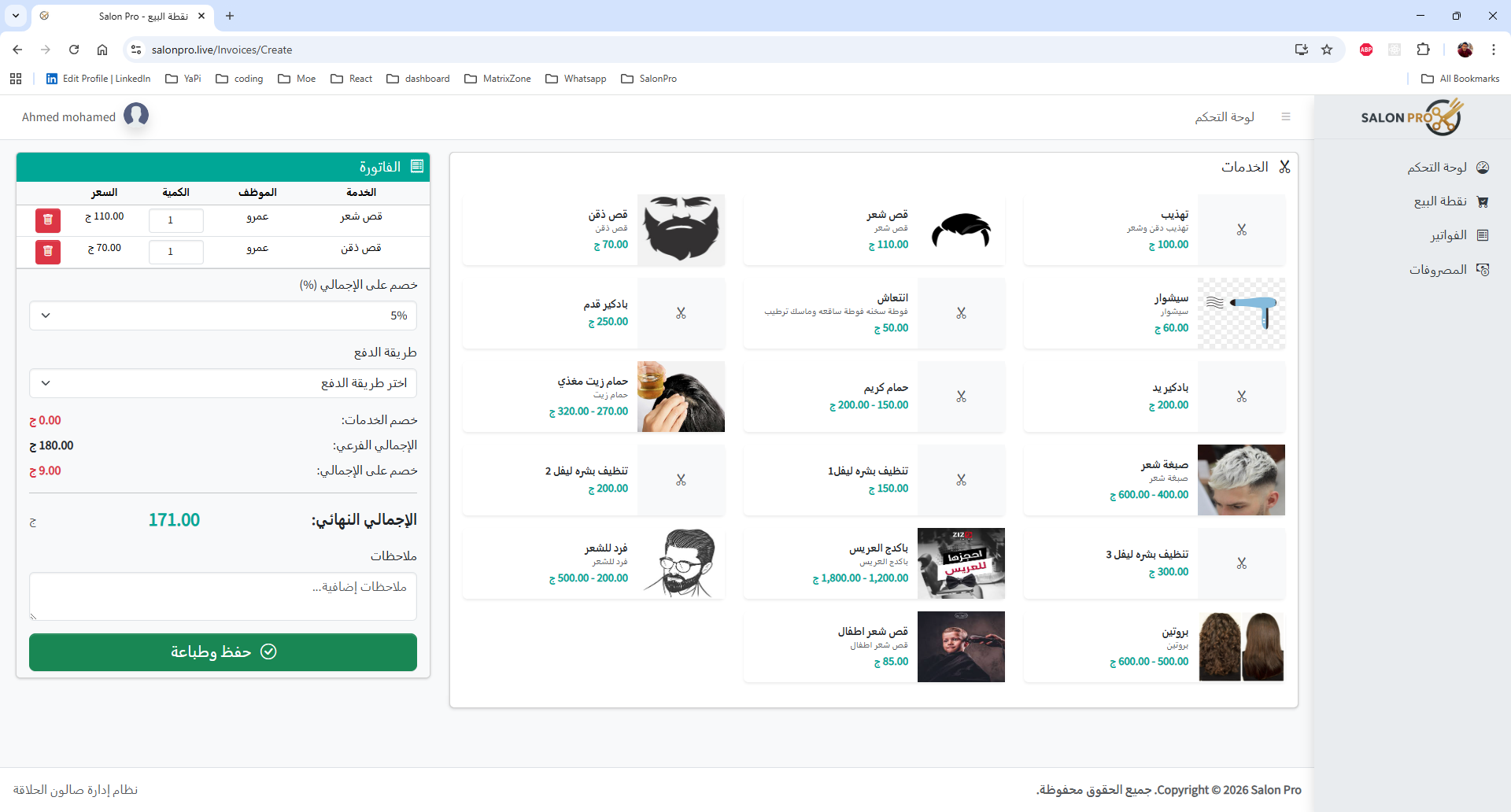
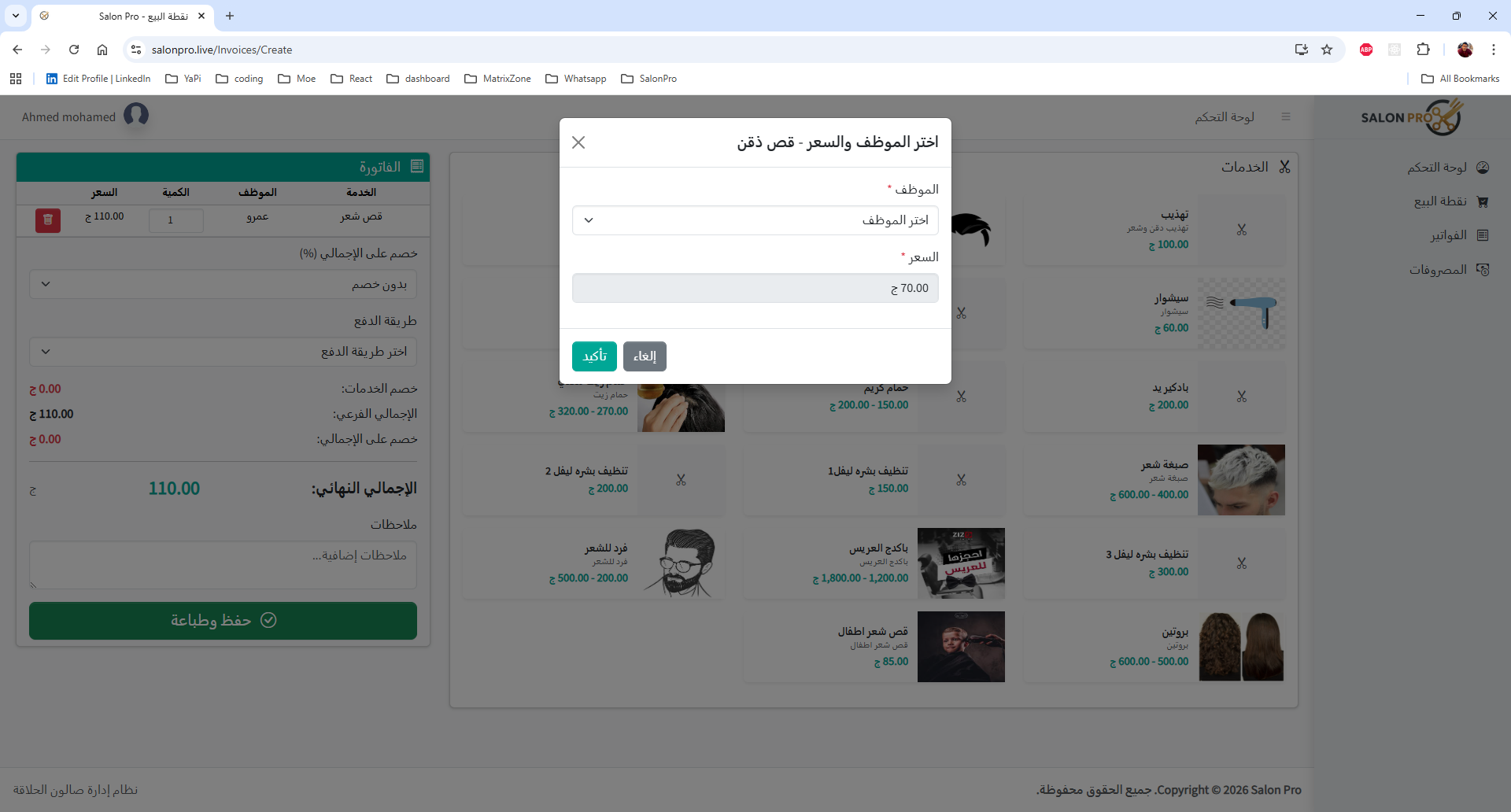
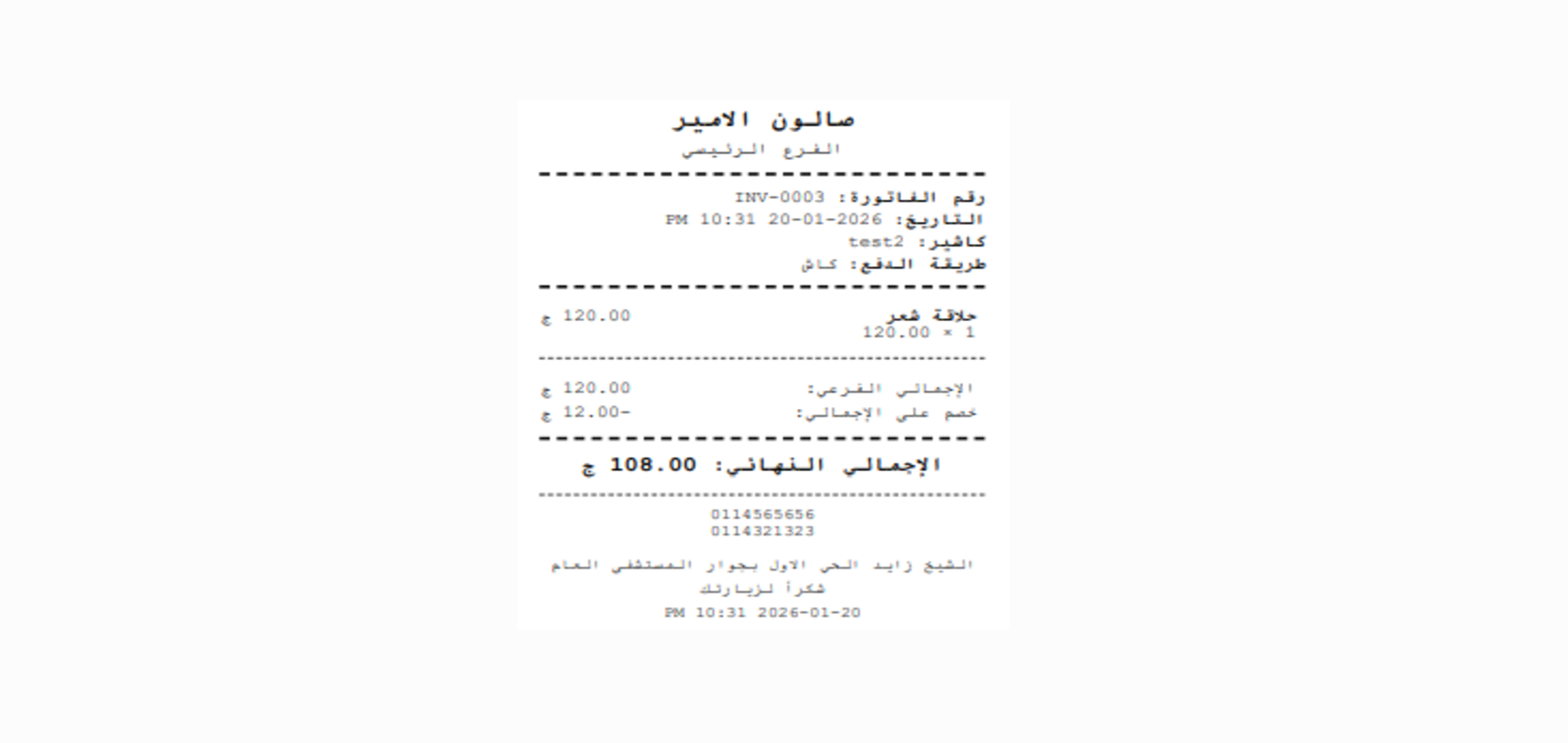
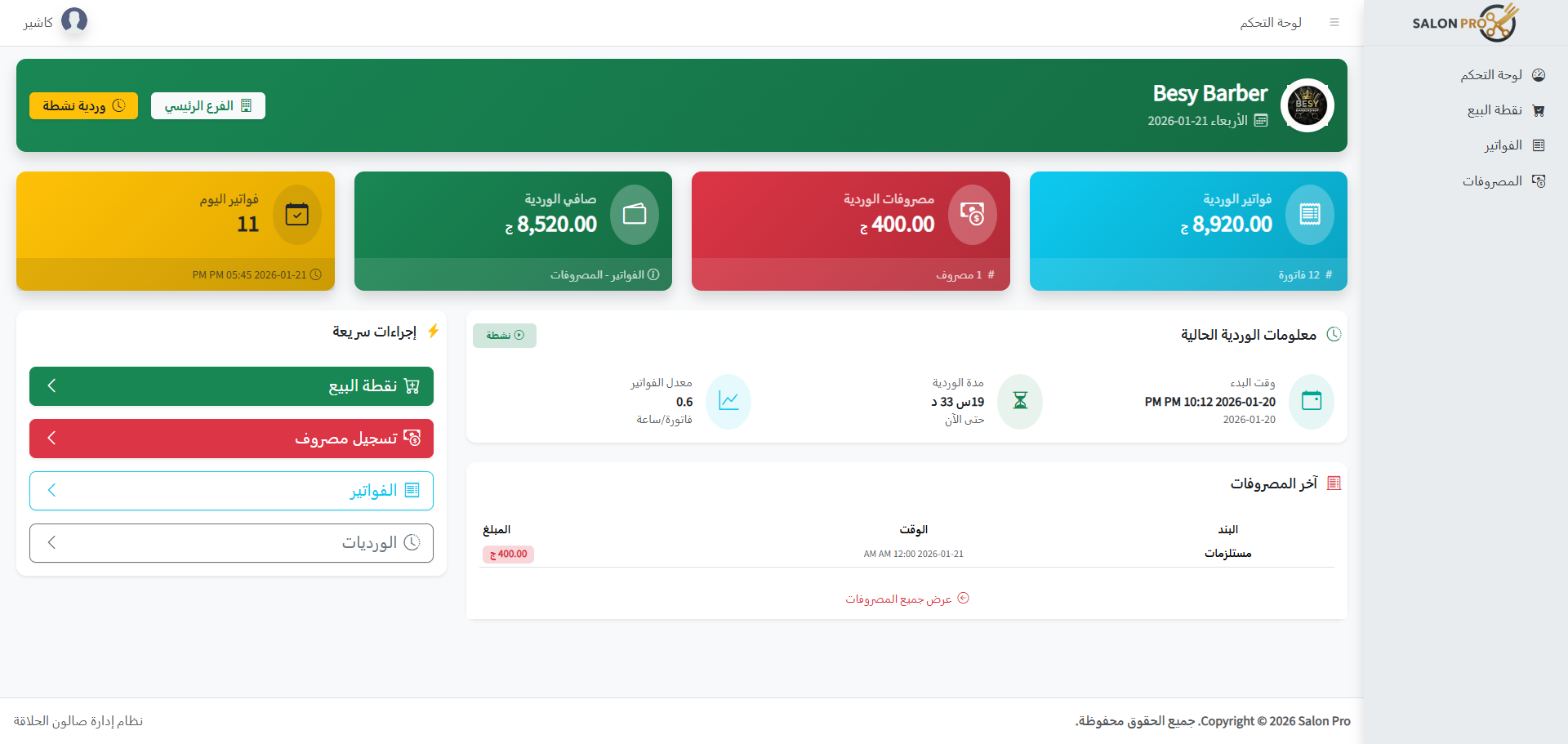
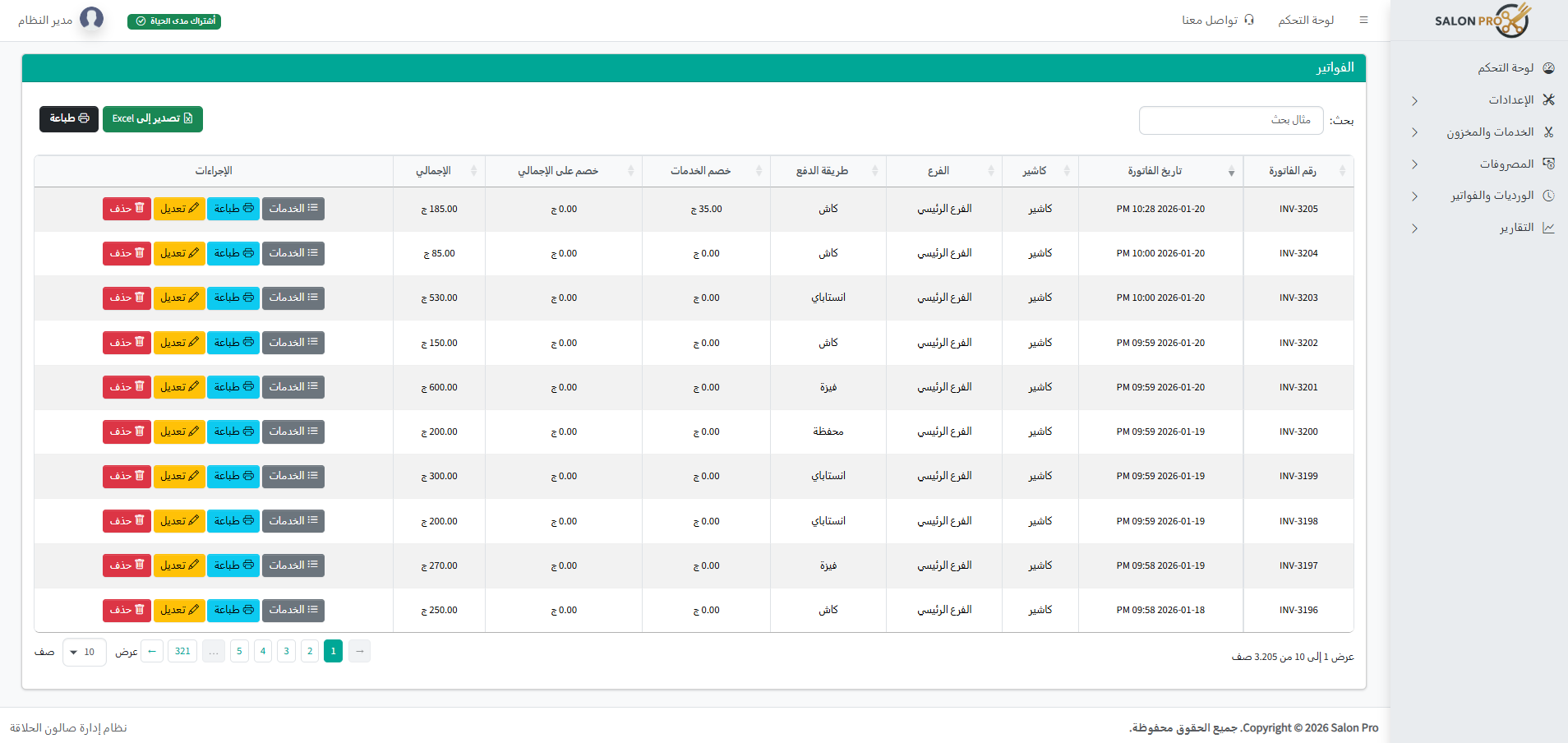
Create an invoice in under a minute, record which employee provided the service, and print a receipt for the customer.
- Discounts on services + discount on total
- Multiple payment methods (cash/card/InstaPay/wallet)
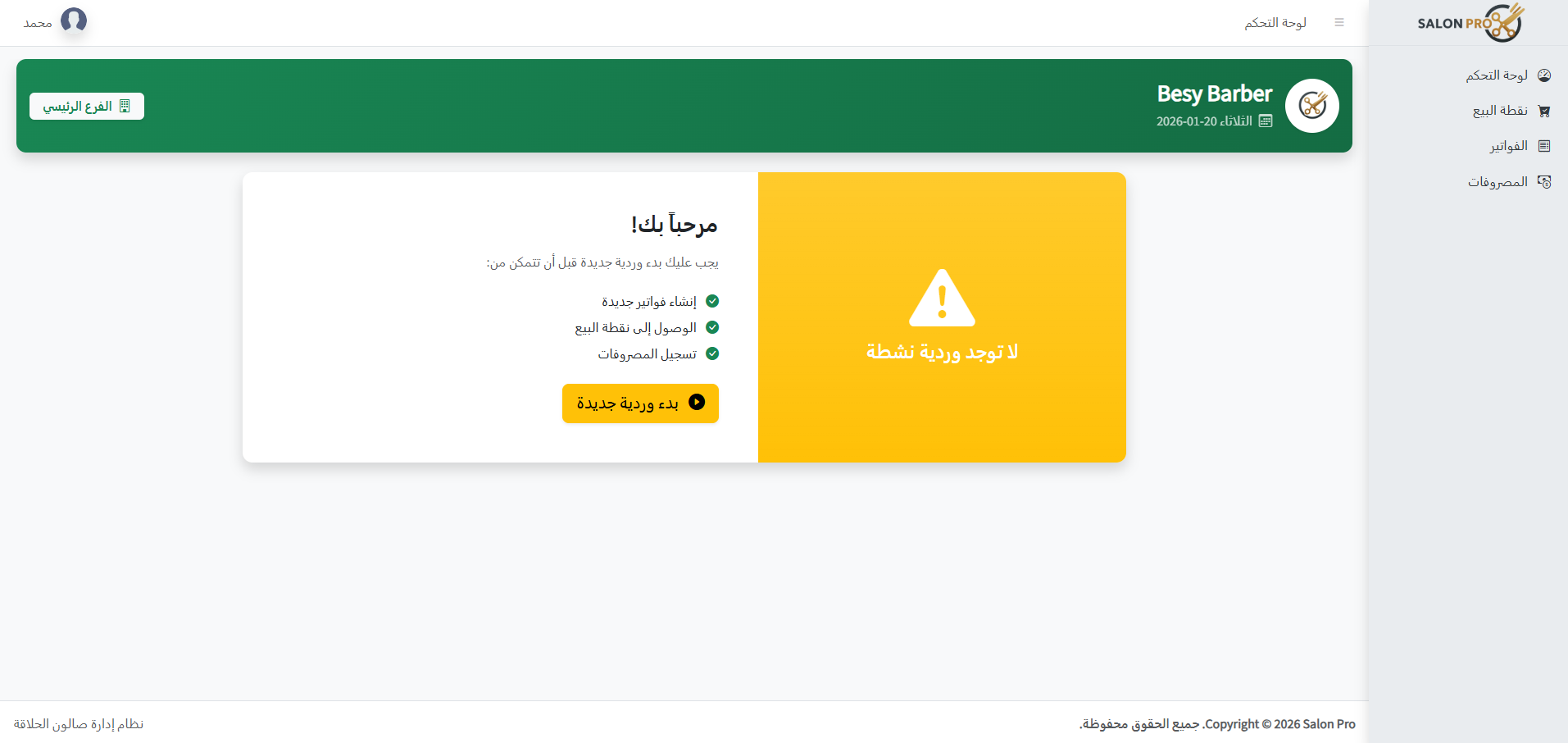
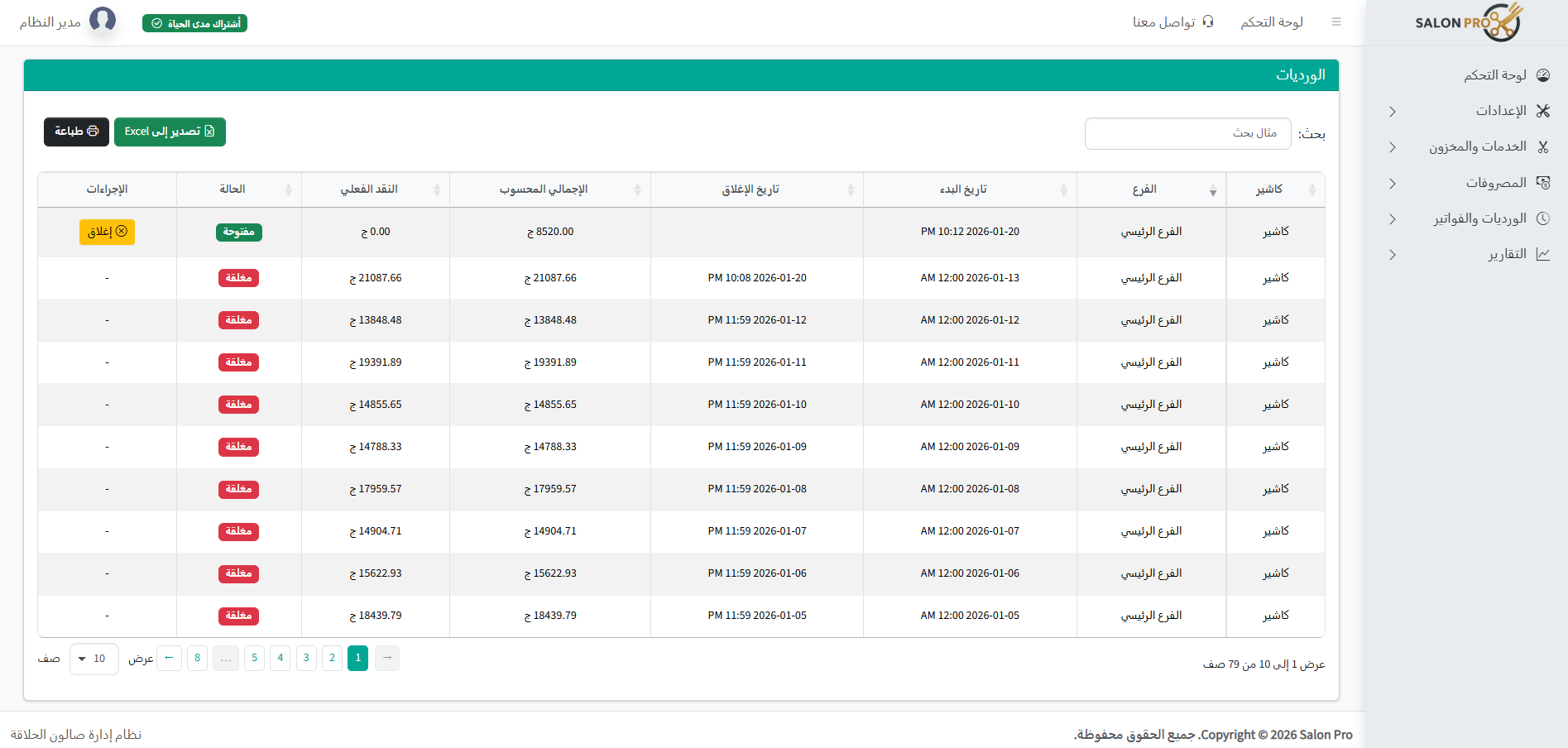
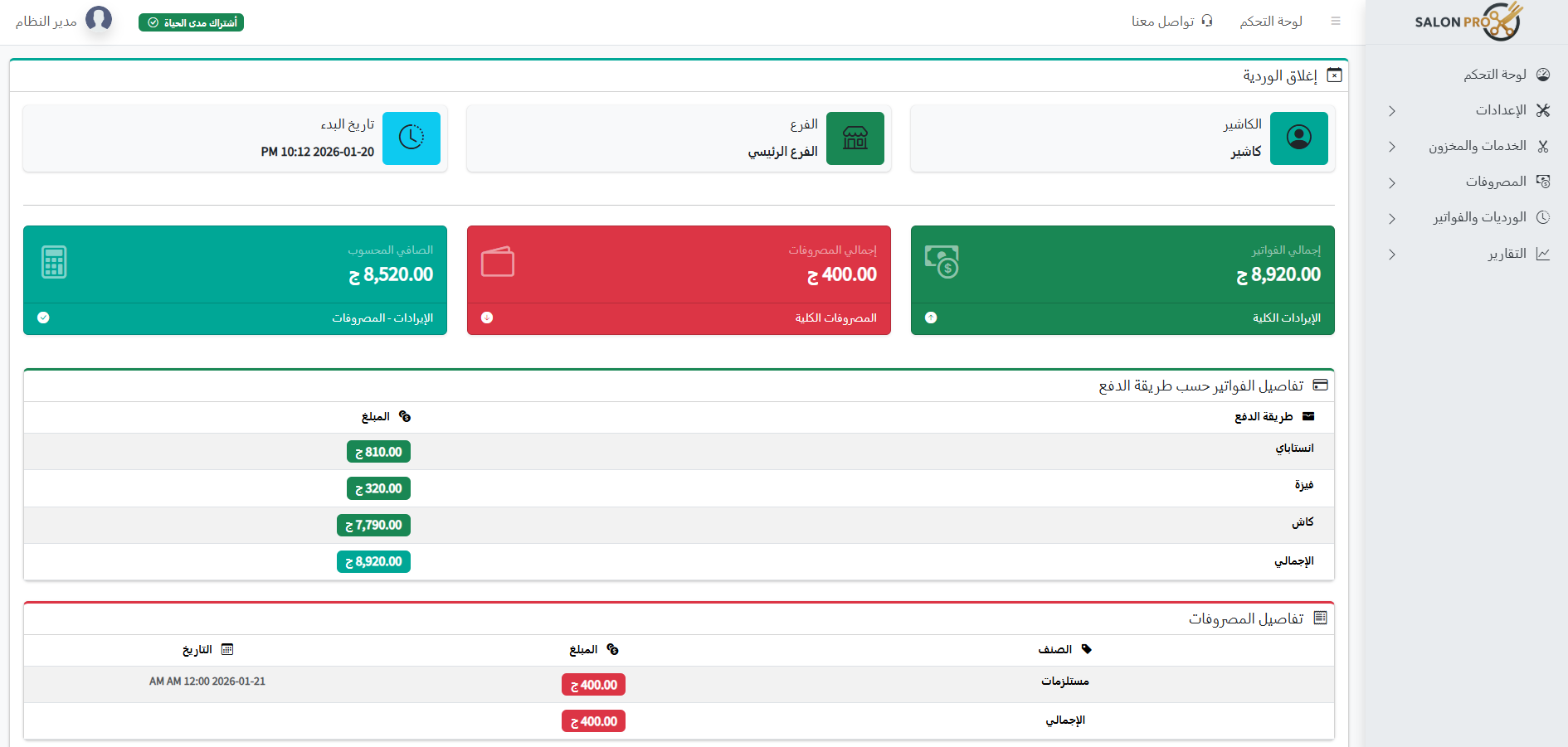
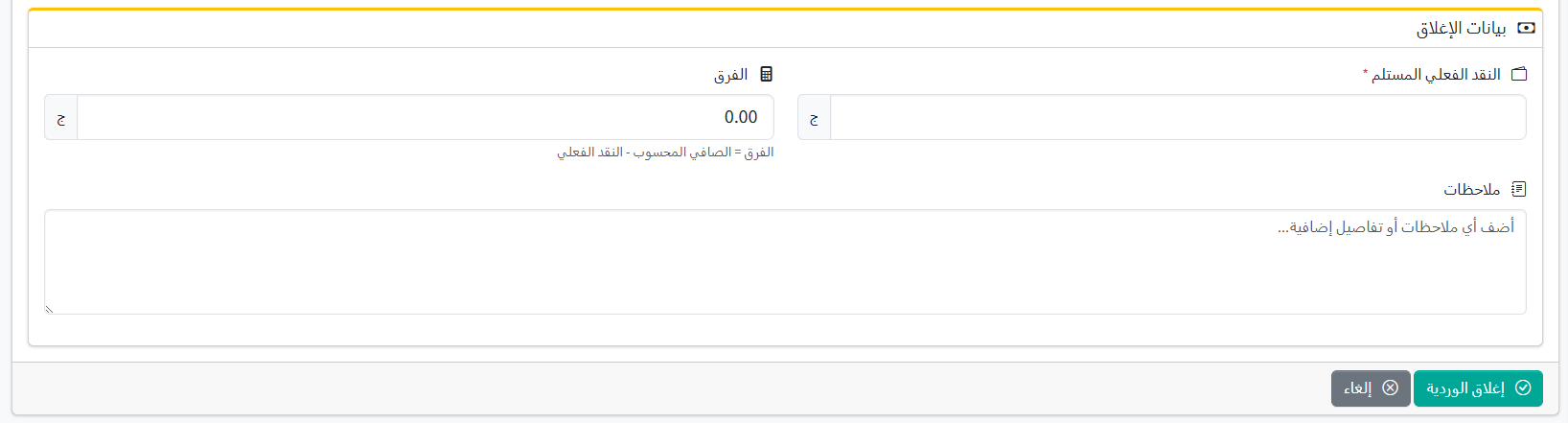
- Open cashier shift and on close show revenue and expense report
- Smart cashier dashboard for shift revenue and expenses
- Invoice history and quick search
- Cashier can record expenses deducted from shift revenue
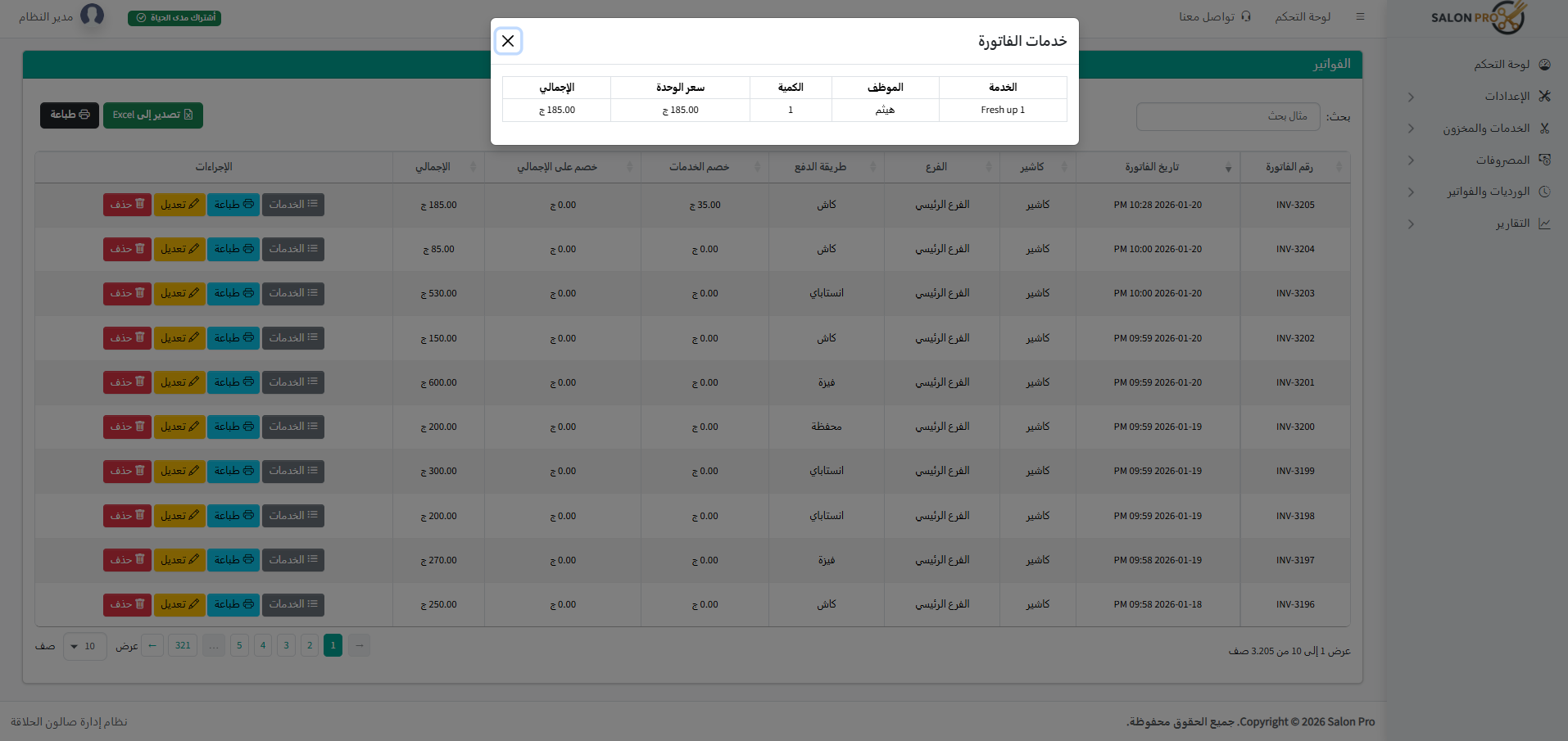
- Print invoice receipt for customer with service details
✂️ Service management… prices, offers, and POS display
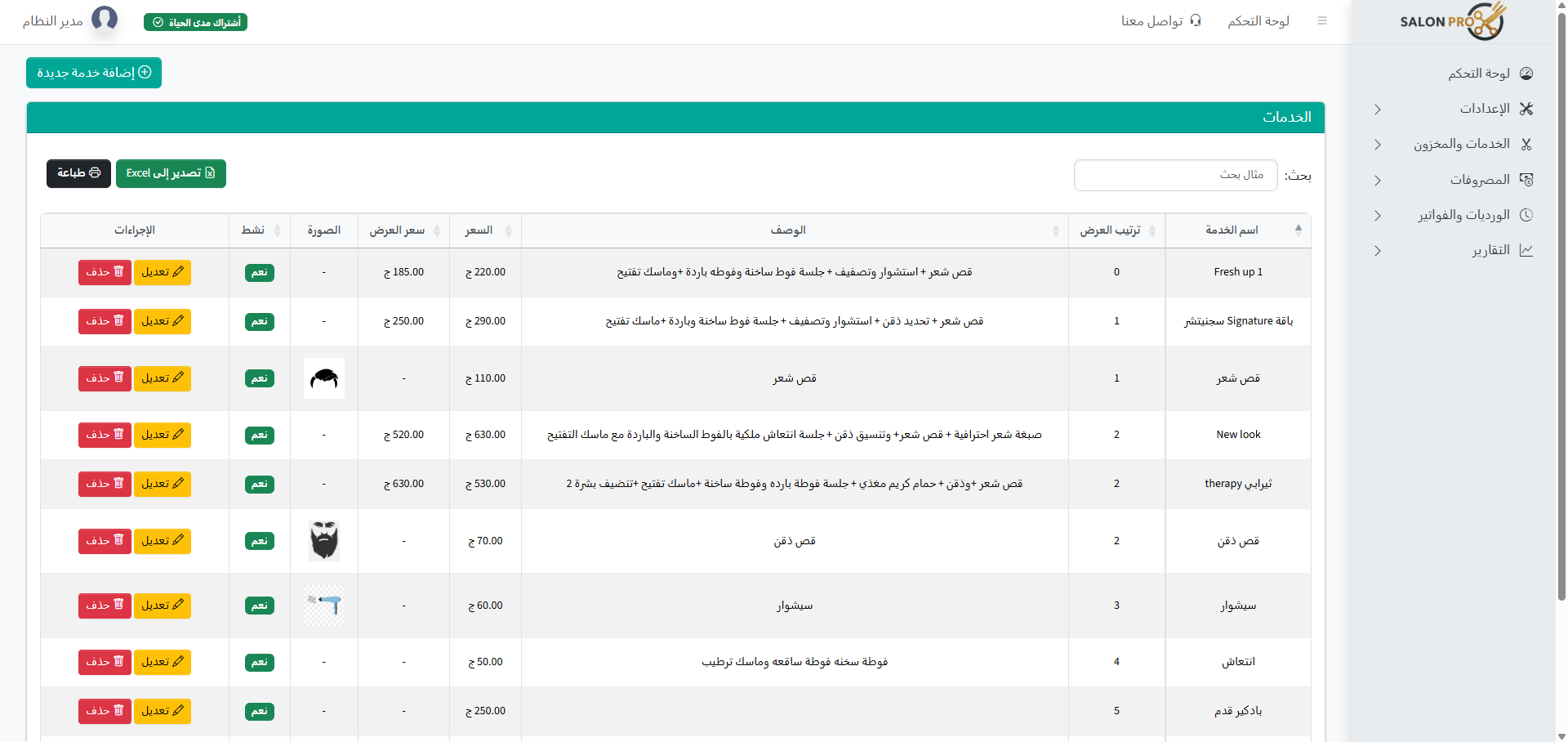
Create a clear service list, set a price for each service, and run time-limited offers… all reflected instantly on the POS screen.
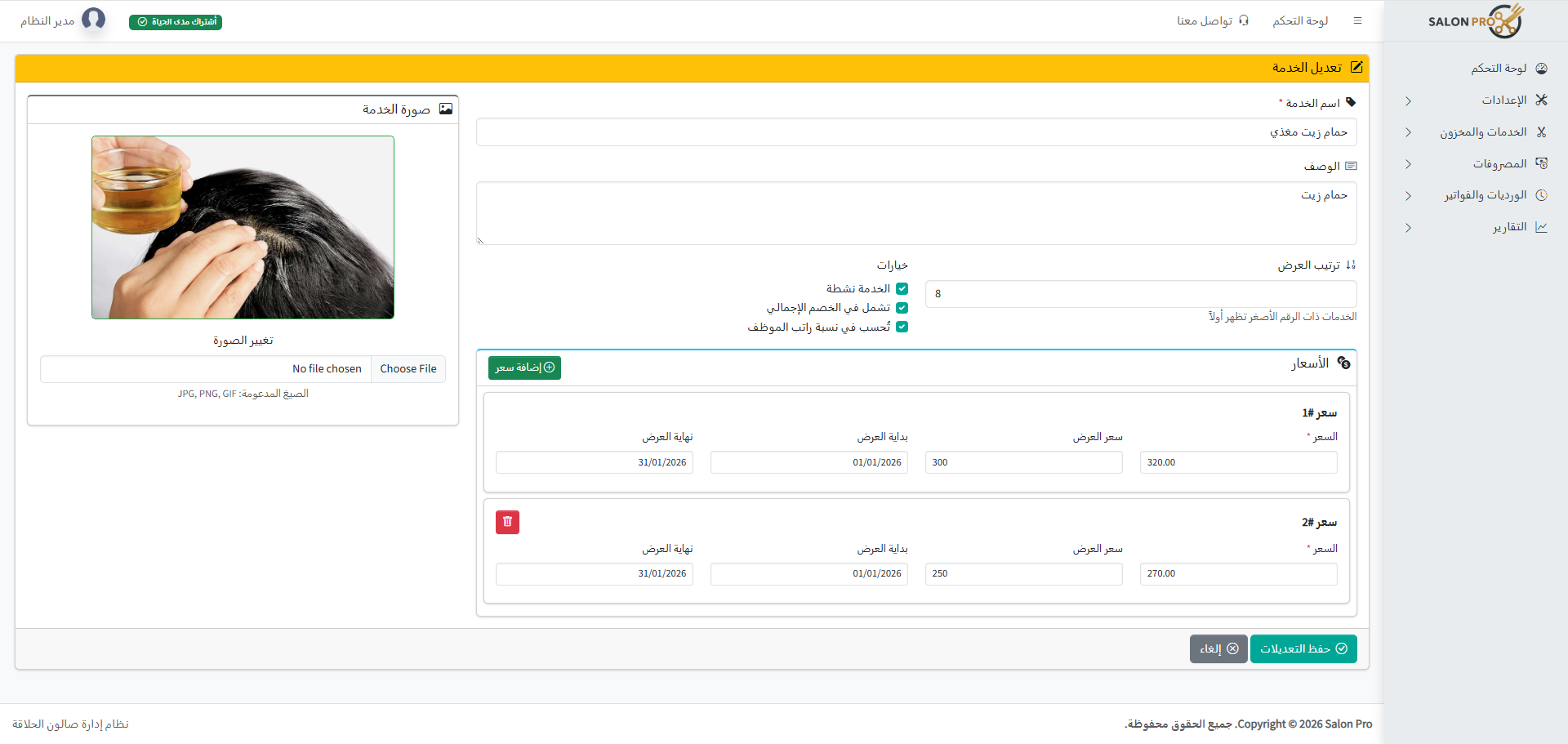
- Price list per service + option to add more than one price
- Offer price per price with start and end date
- Choose service image and display order in POS
- Control whether service is included in invoice total discount
- Control whether service counts toward employee salary/commission share
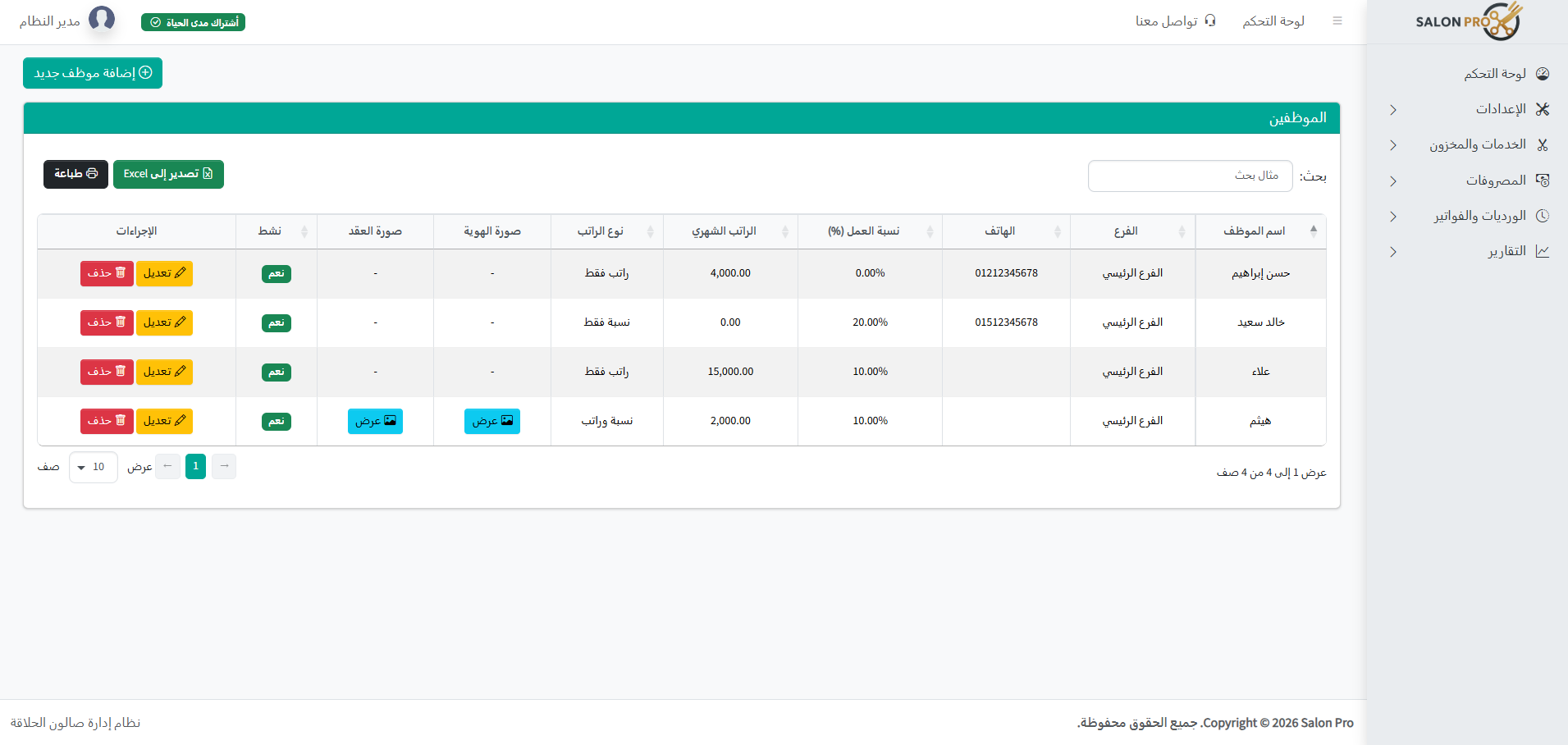
👥 Employees and commissions… calculated
Say goodbye to manual calculation. Salon Pro calculates employee commissions based on services actually performed.
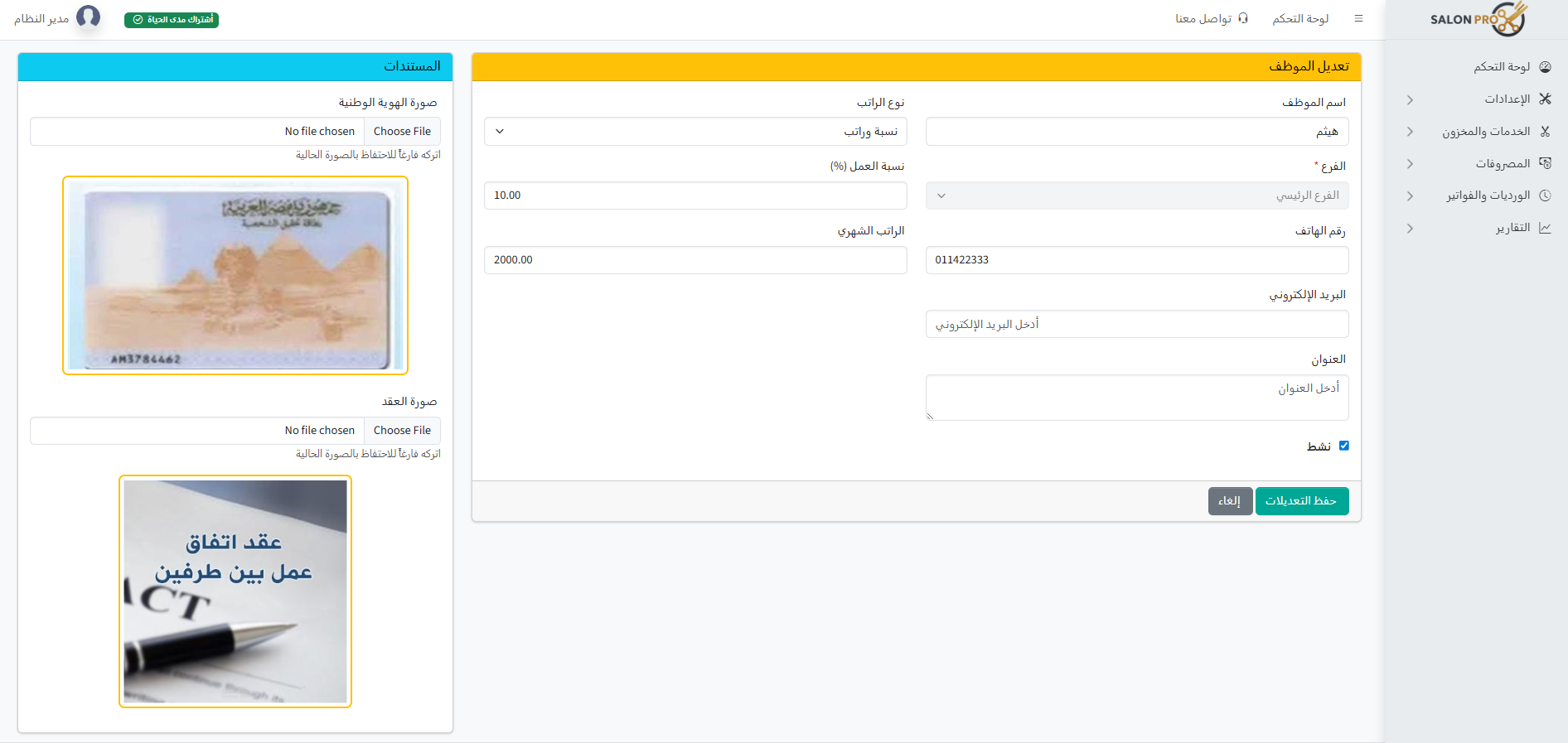
- Add employees with no limit
- Set salary type, monthly salary, and work share percentage
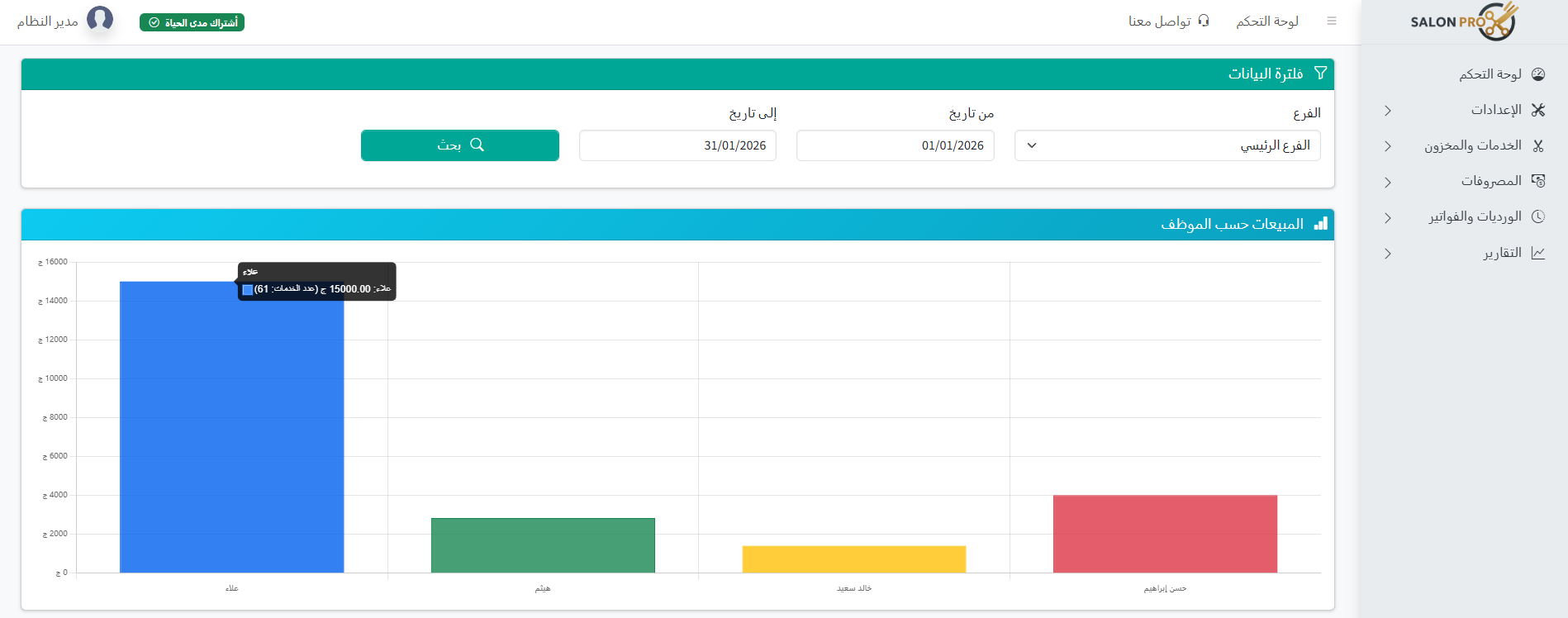
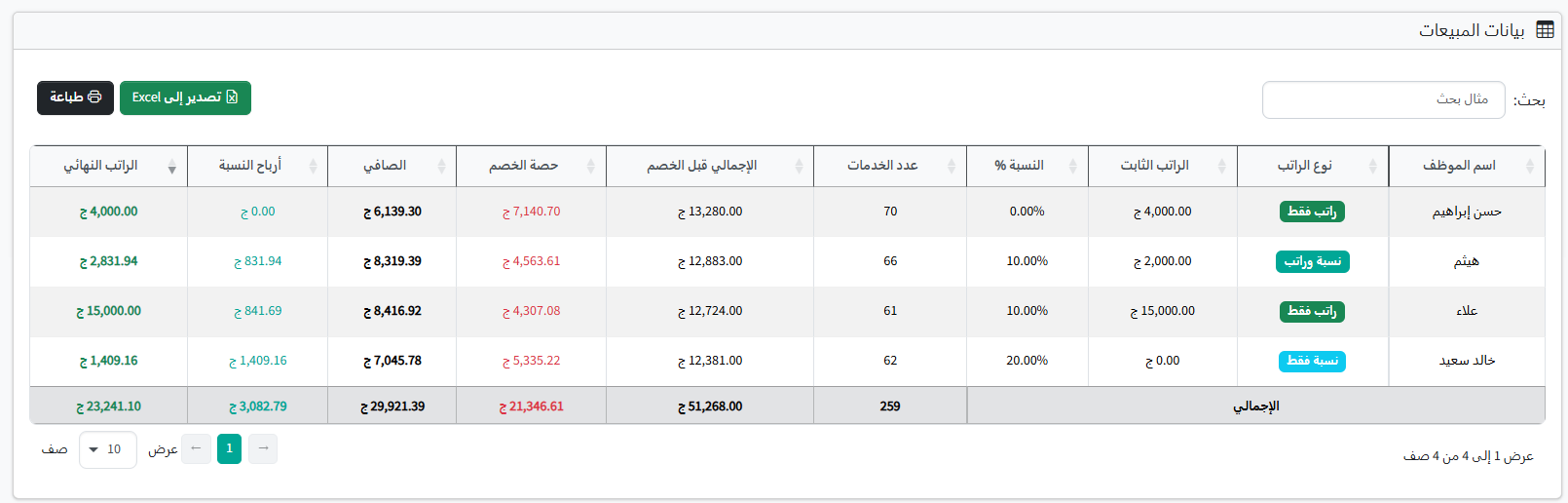
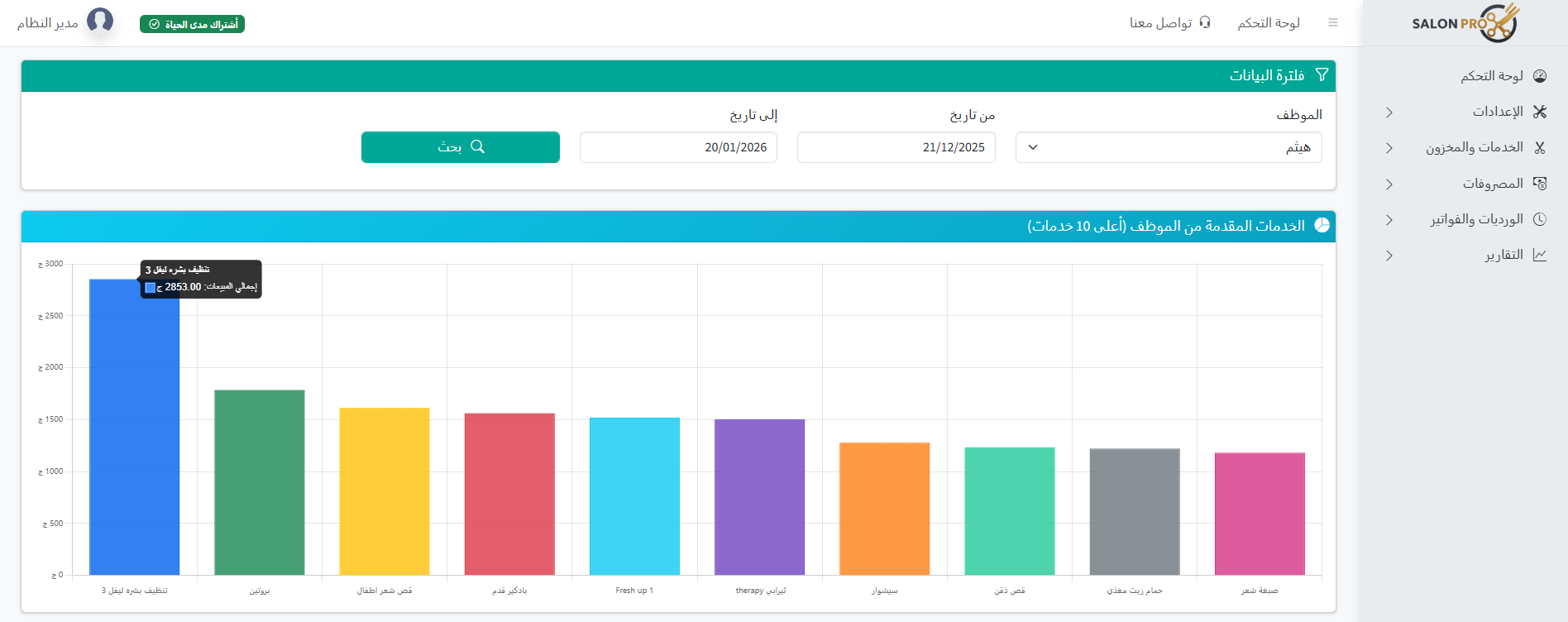
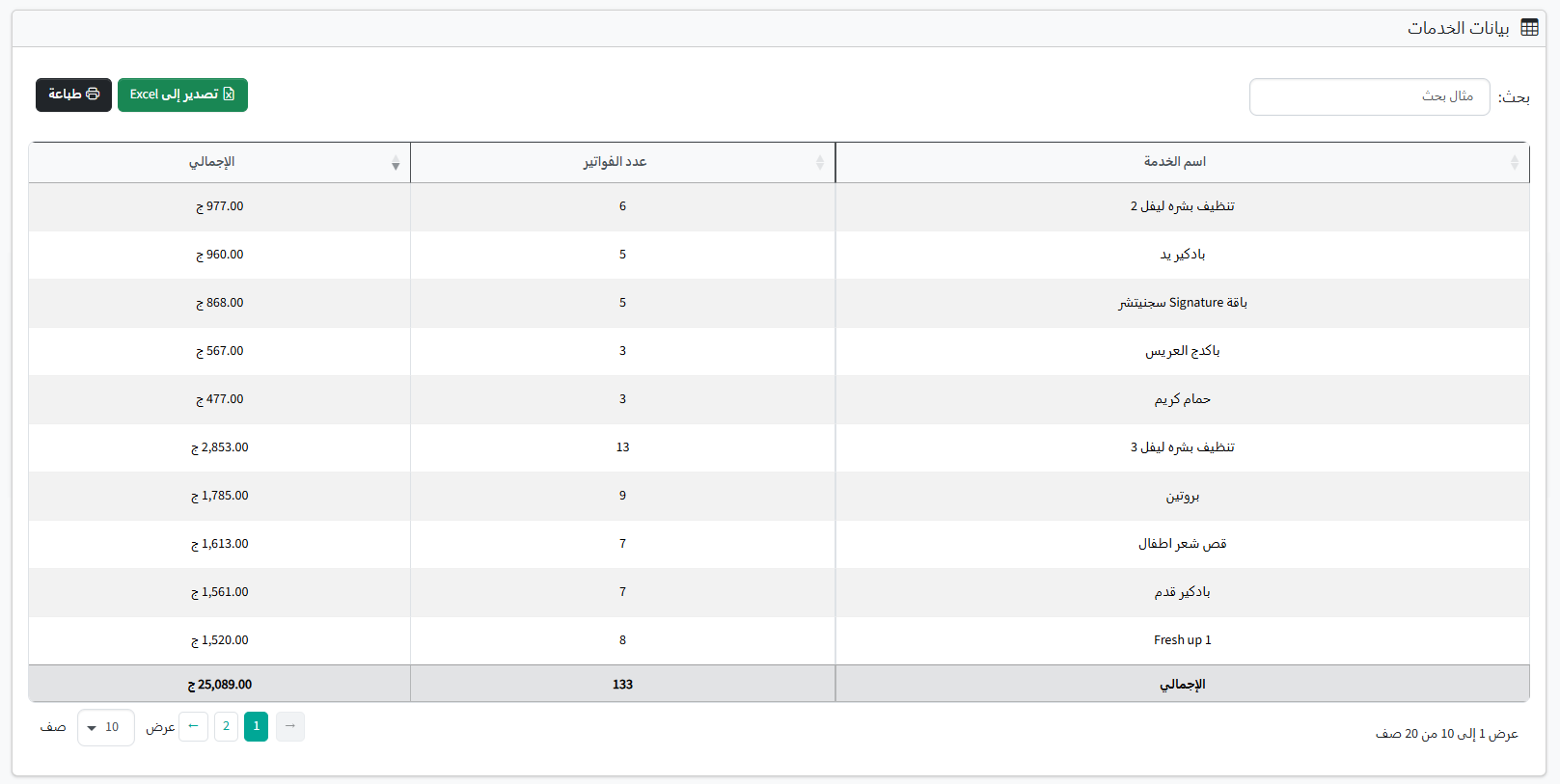
- Sales reports by employee and service
- Track employee performance with numbers not guesswork
📦 Inventory… and alerts before you run out
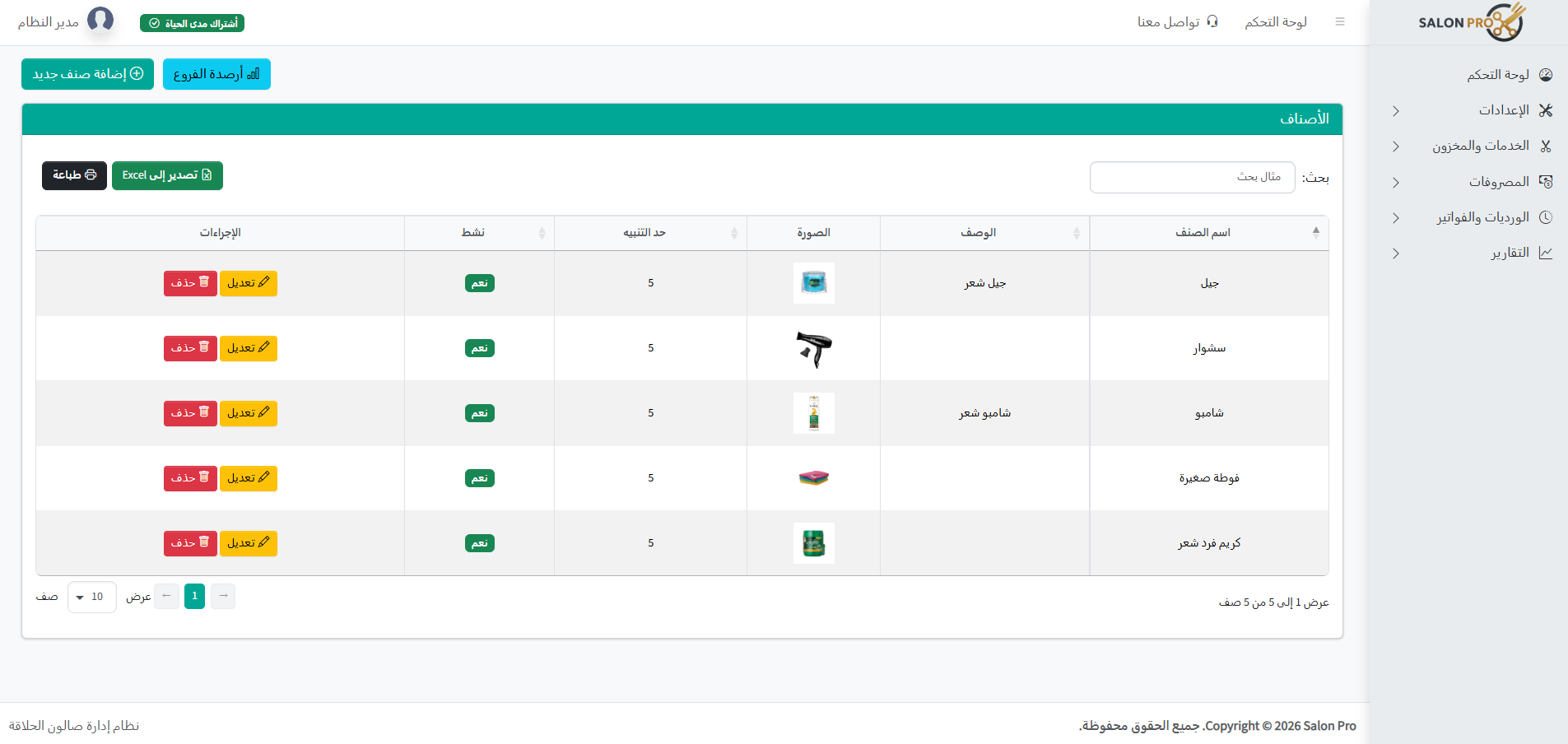
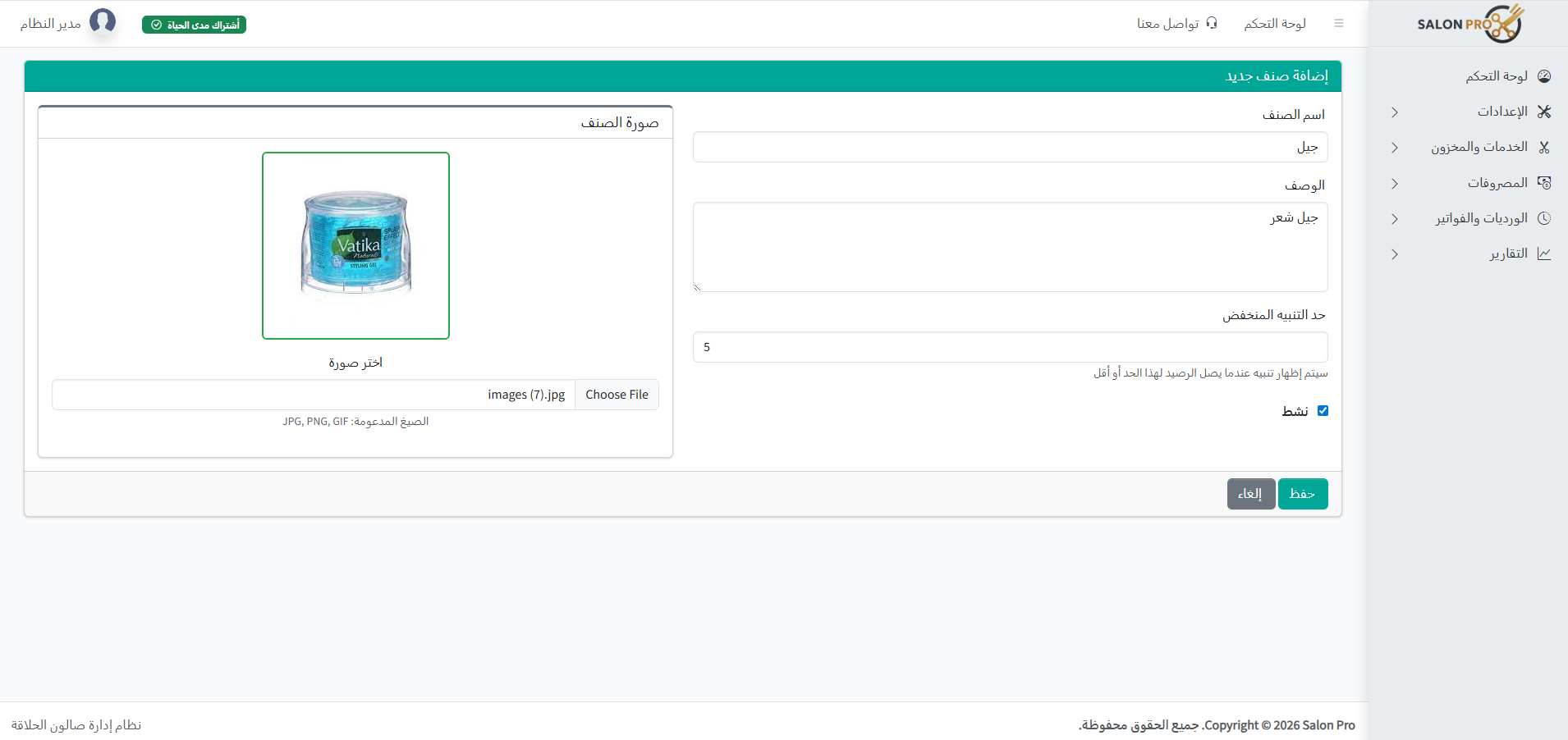
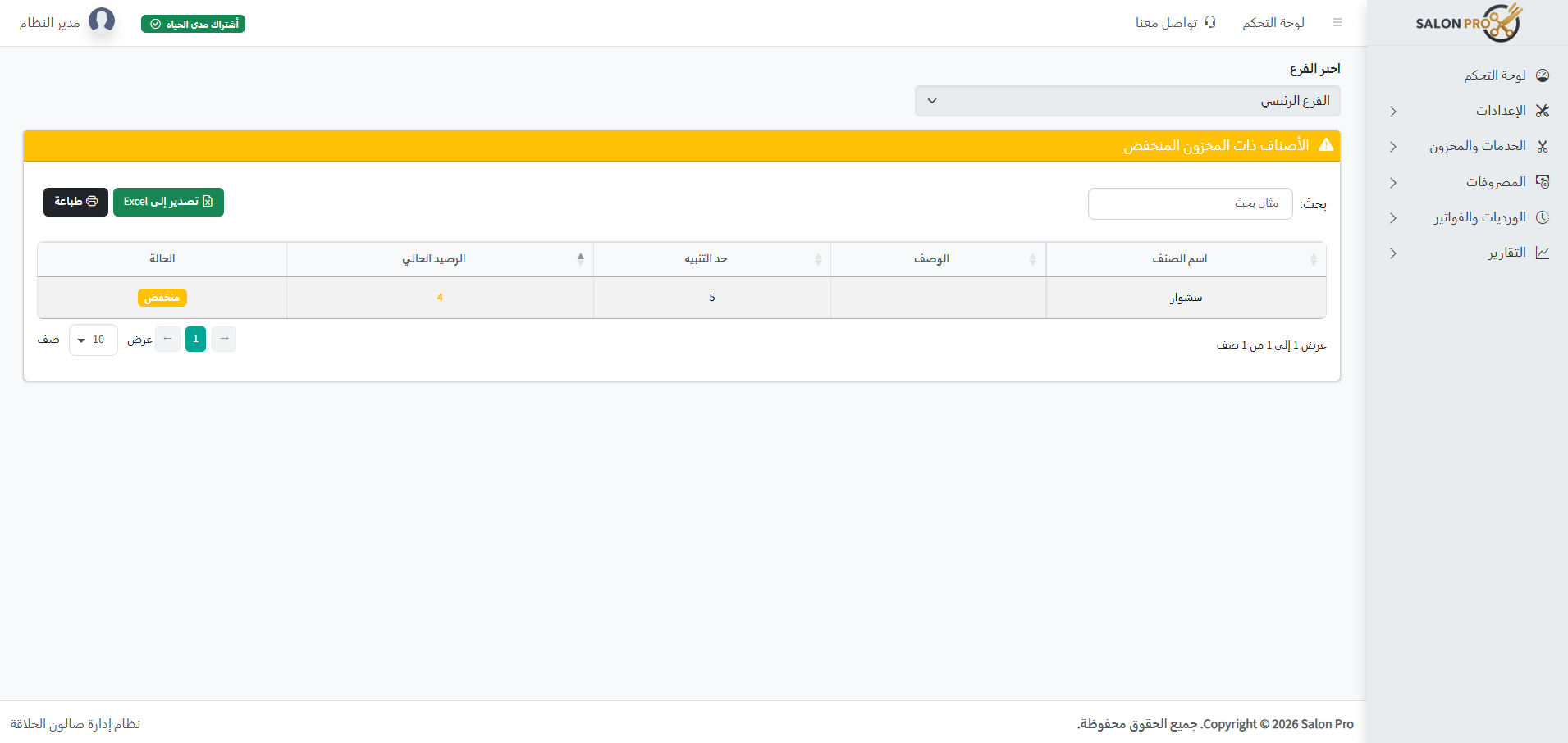
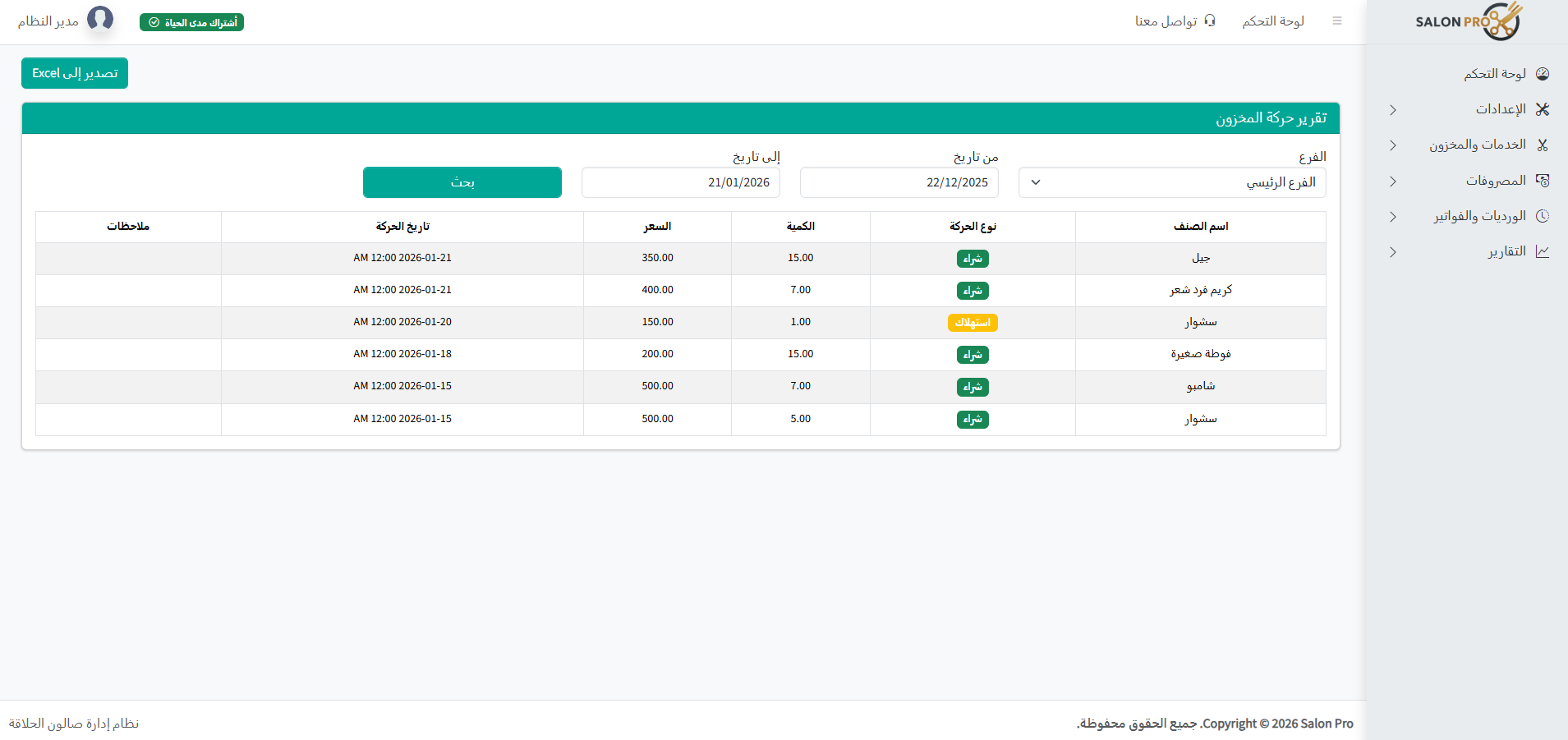
Track your items (gel, shampoo, wax, supplies) and get low-stock alerts early… especially if you have more than one branch.
- Add items
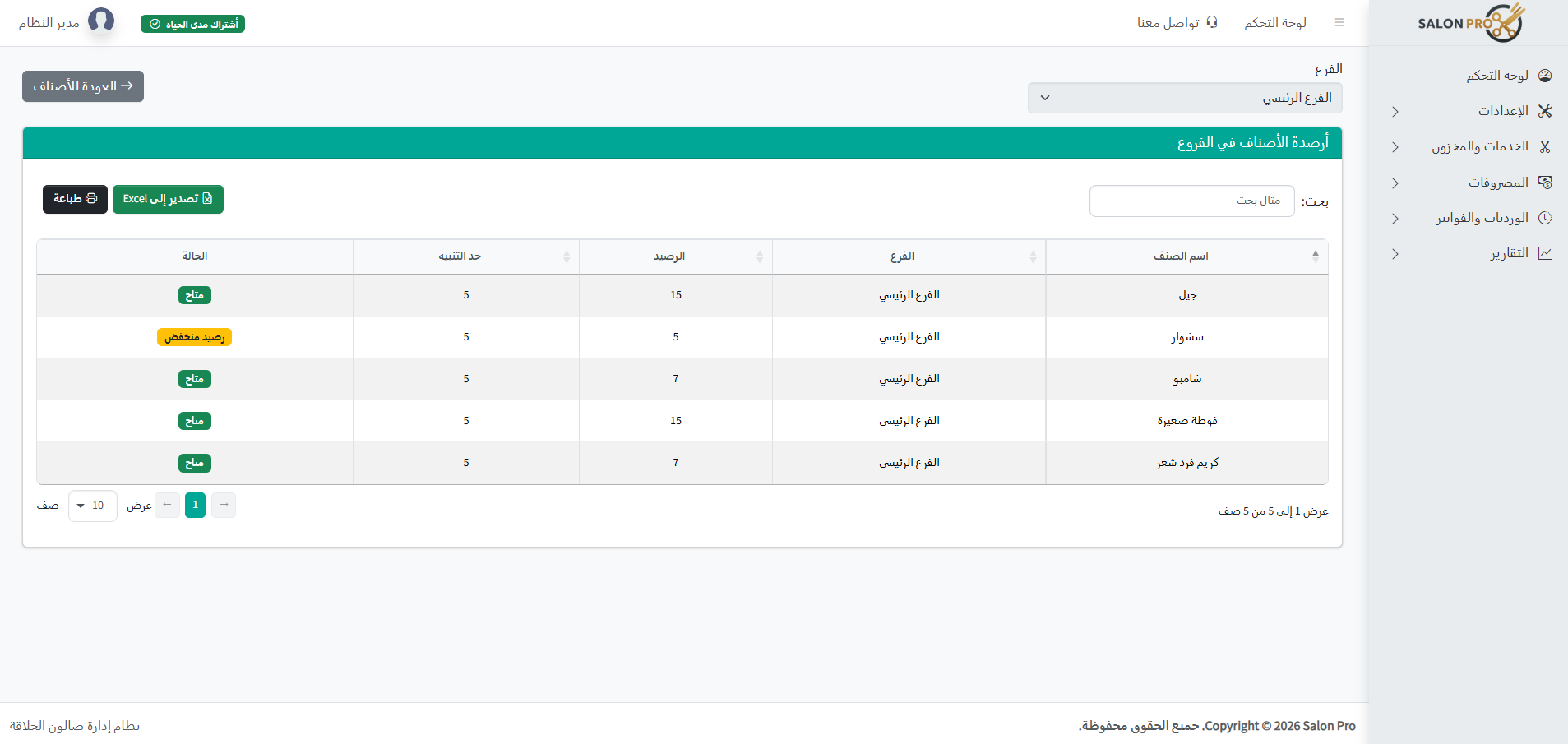
- Low stock alert (Low Stock)
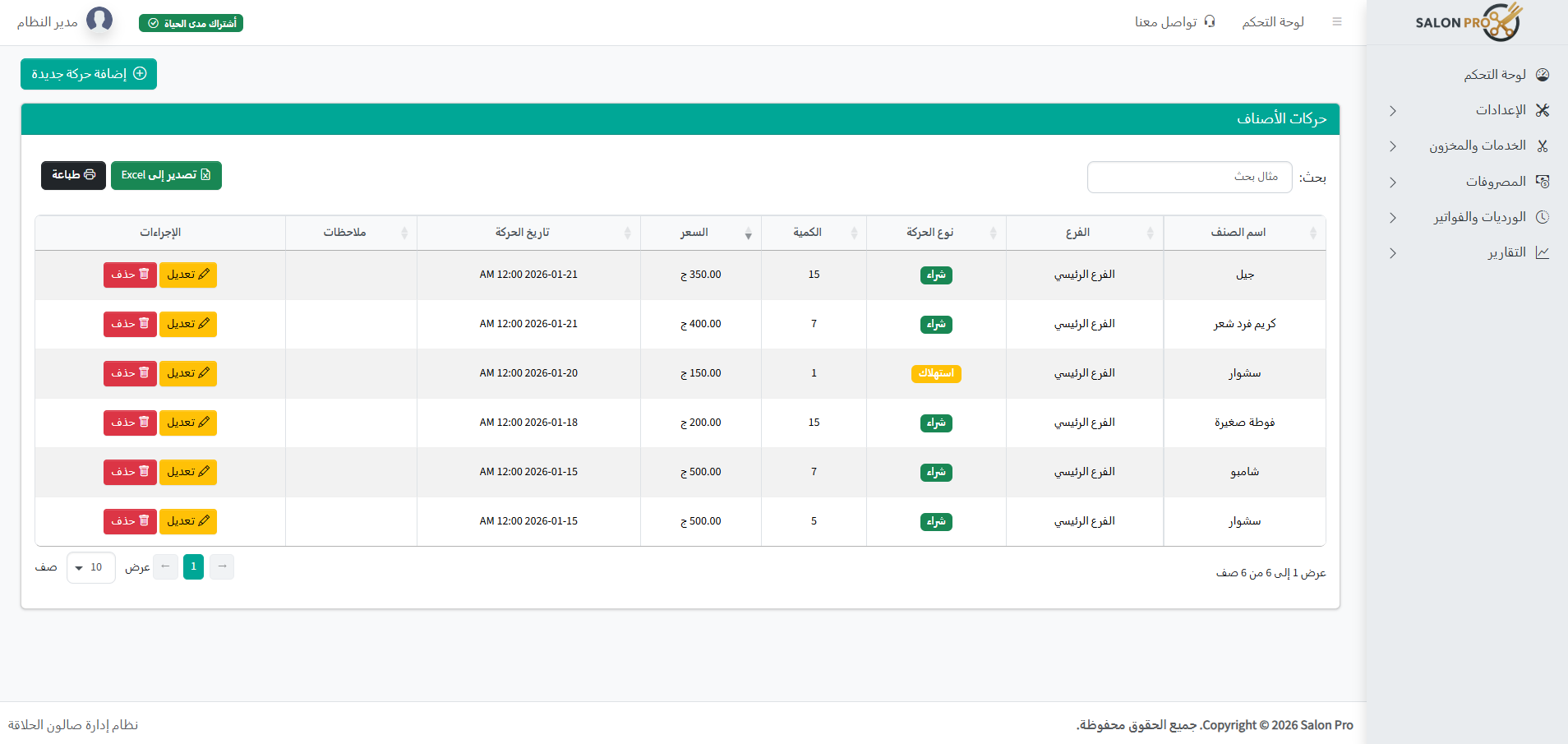
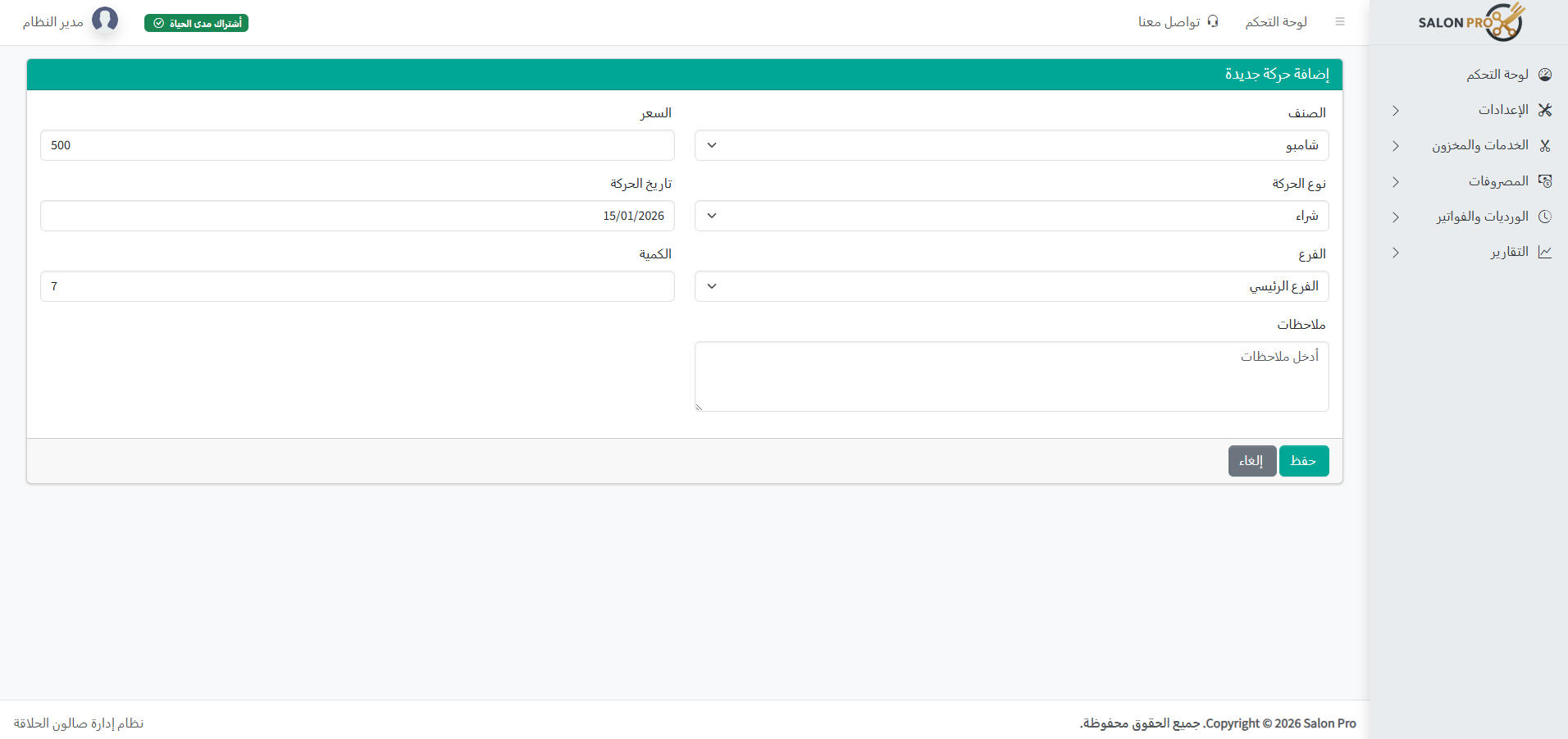
- Inventory movement: purchase / consumption
- Item balances per branch
- Inventory movement report
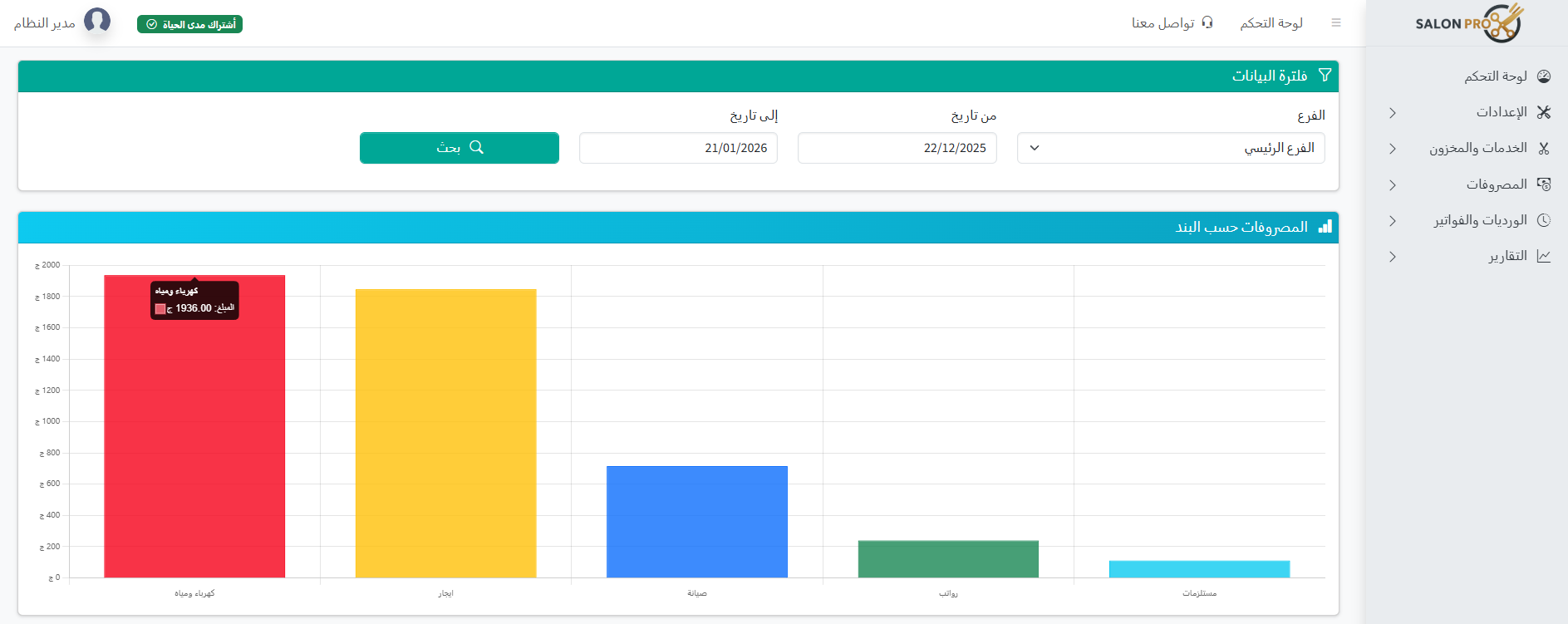
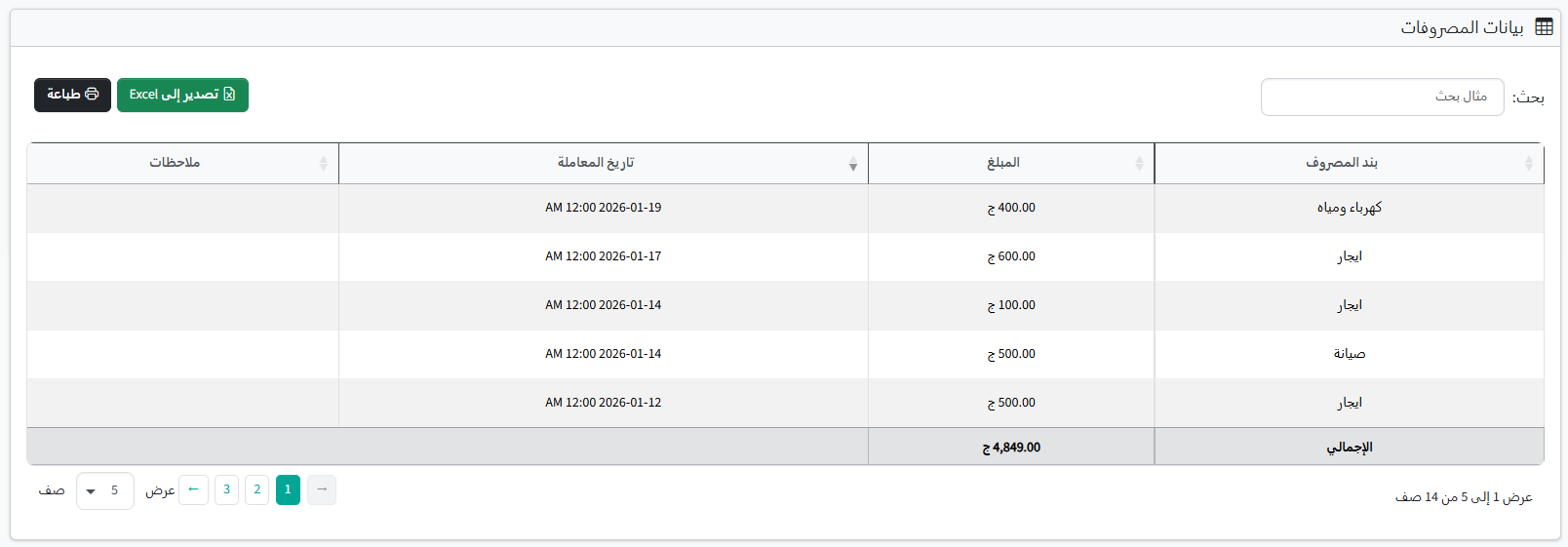
💸 Expenses… to know your real profit
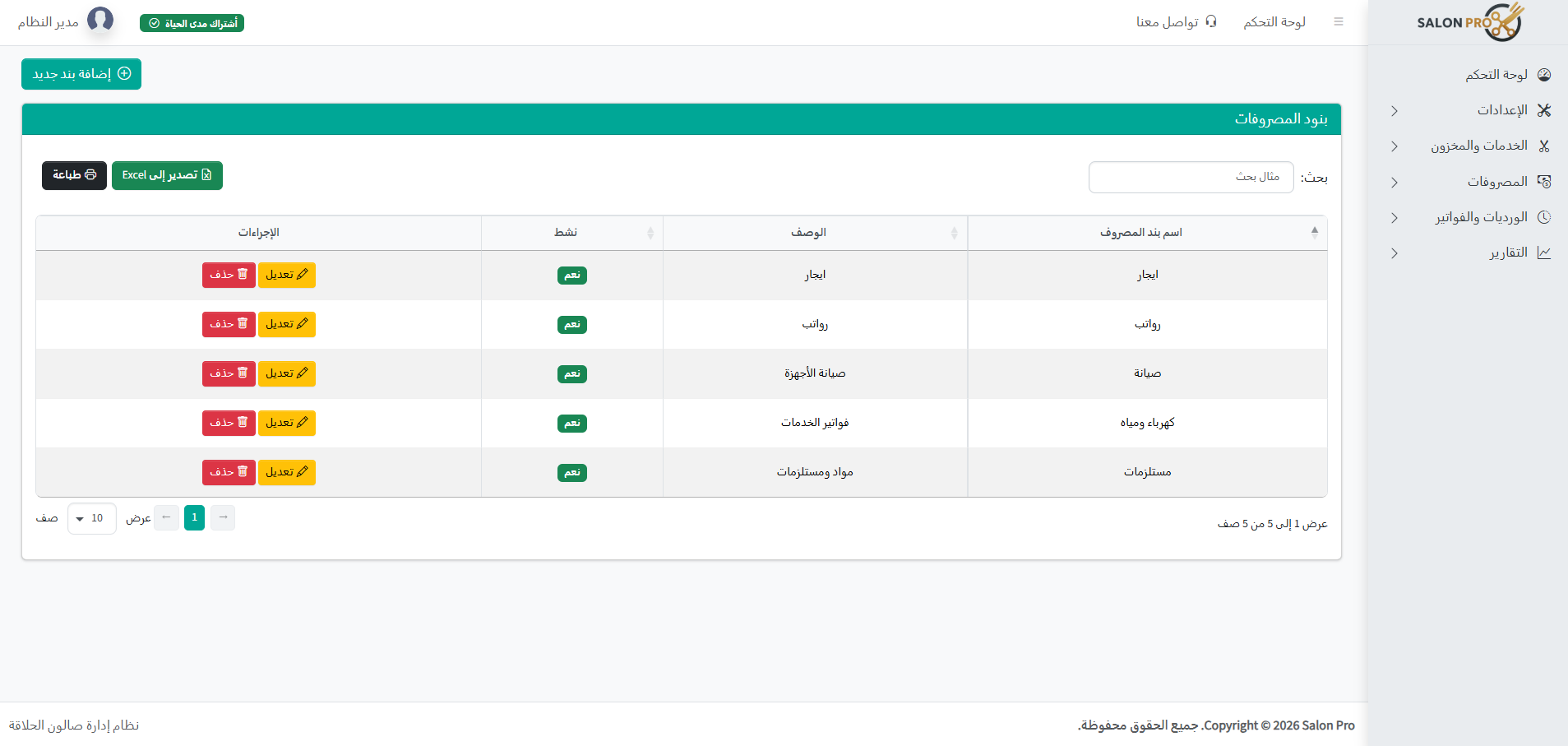
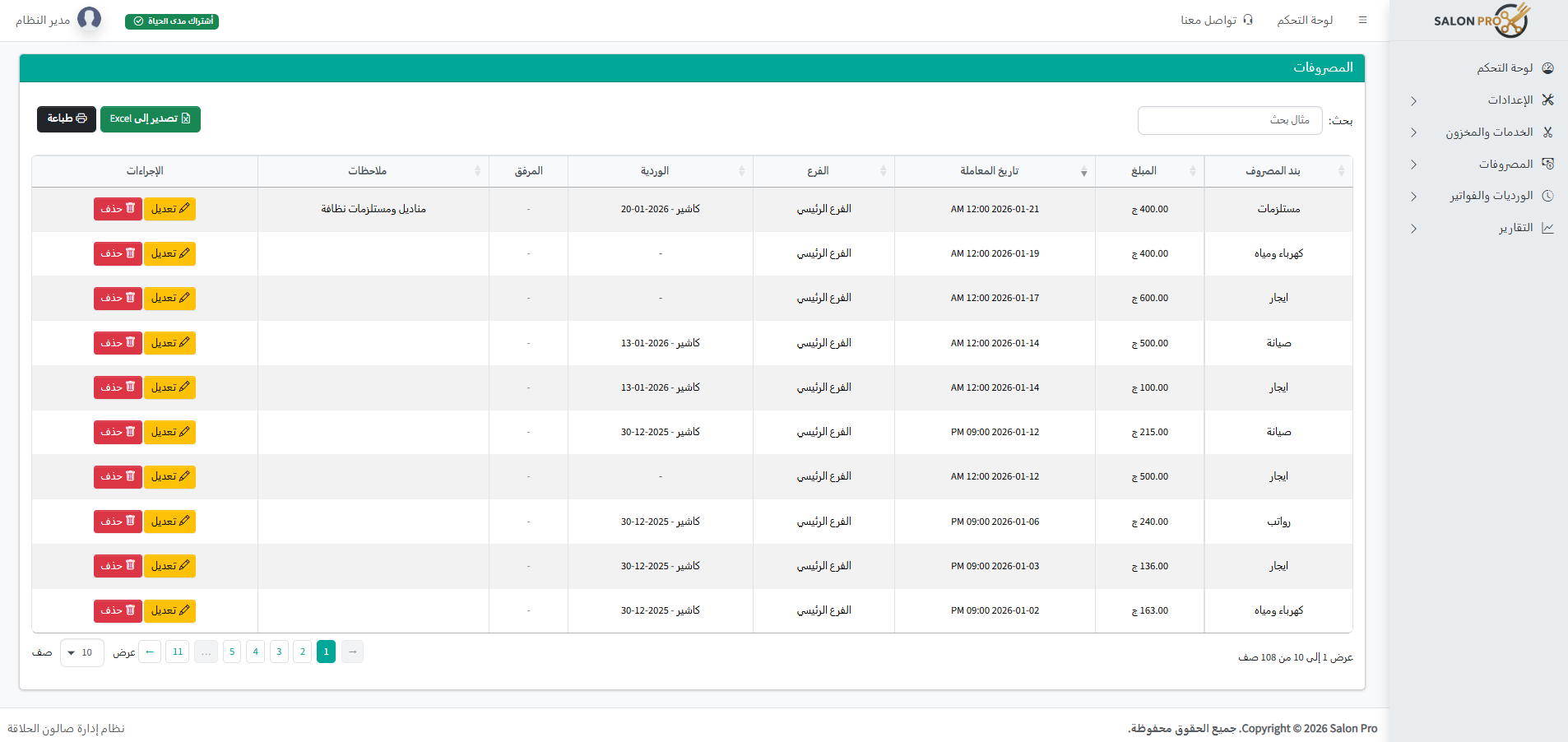
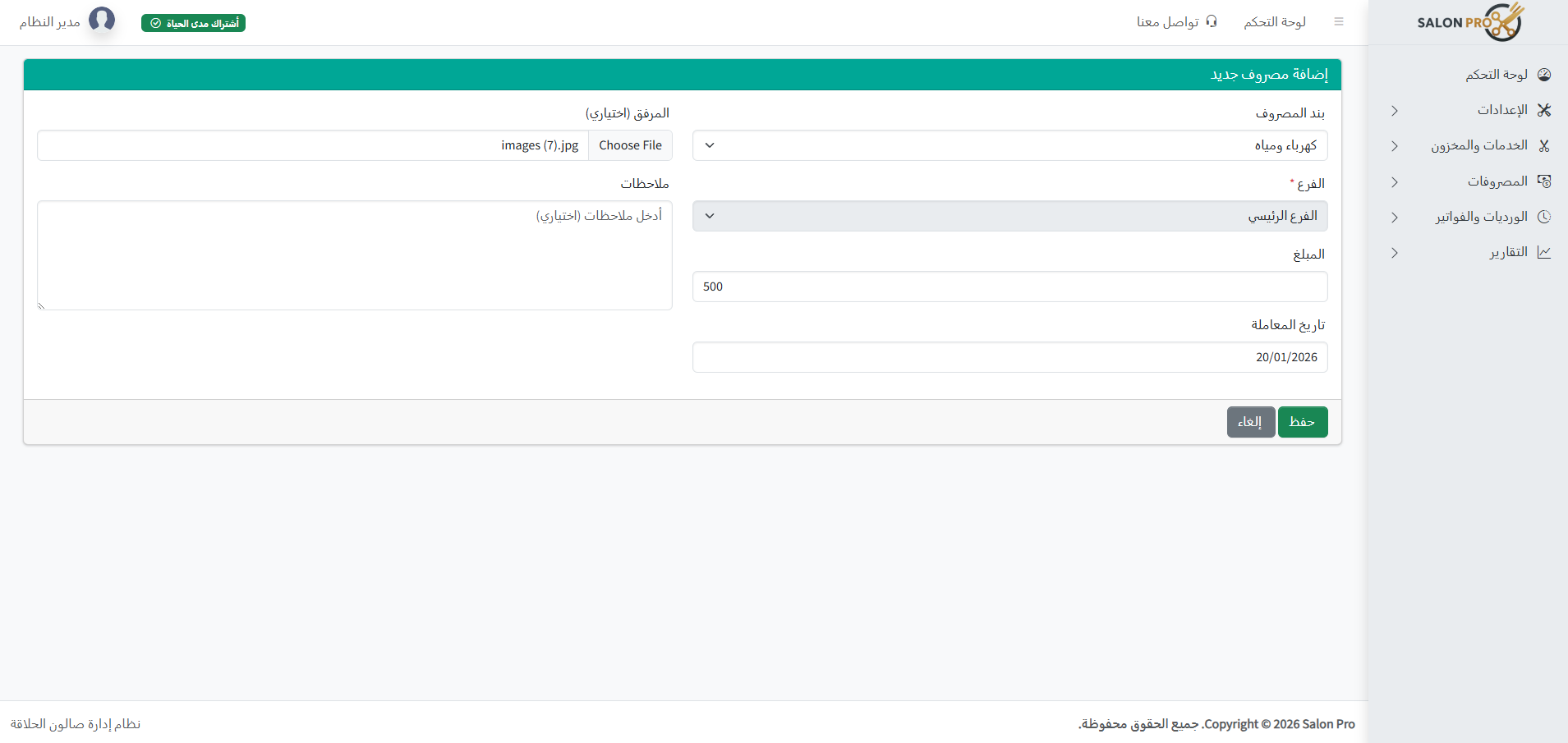
Electricity/rent/water/supplies… record expenses with clear categories and know your net profit.
- Customizable expense items
- Record expense transactions
- Cashier can enter expenses and deduct from revenue
- Expense reports with period comparison
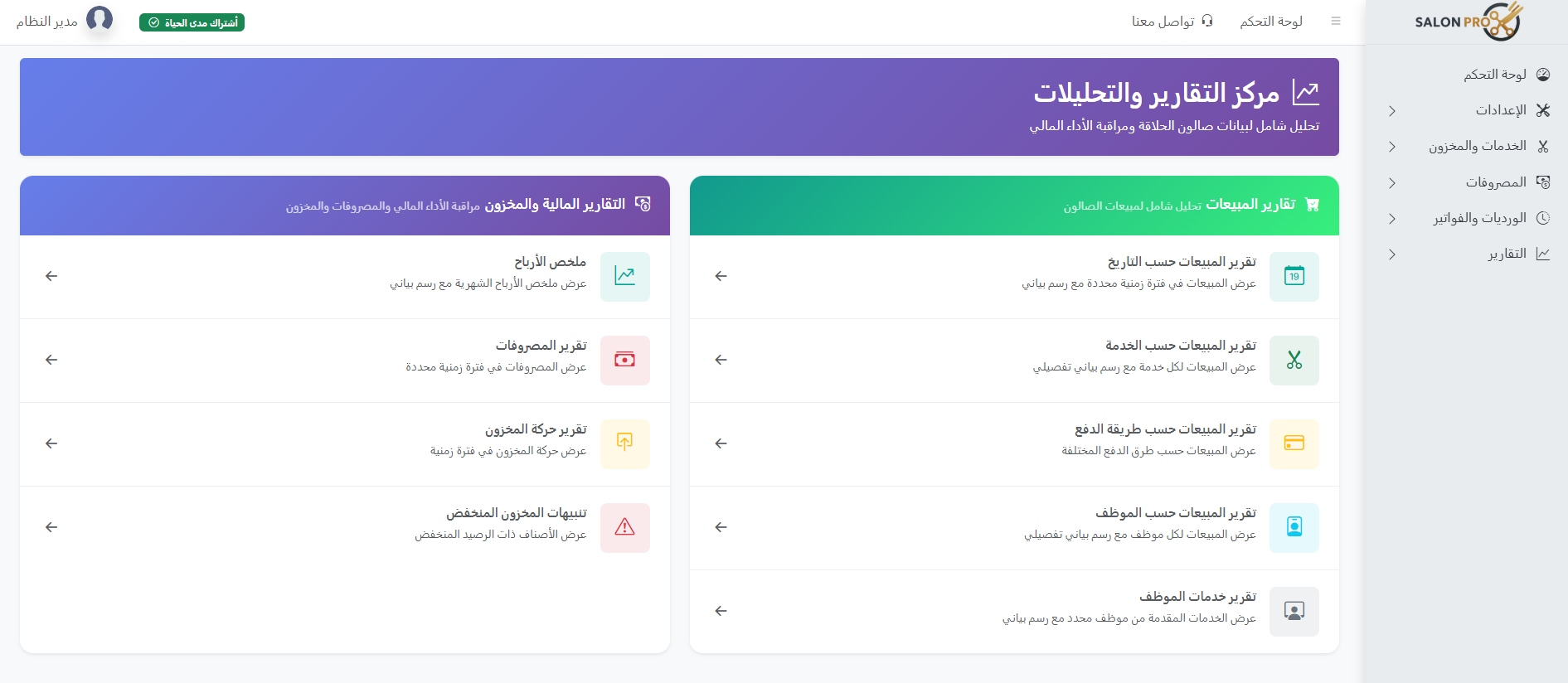
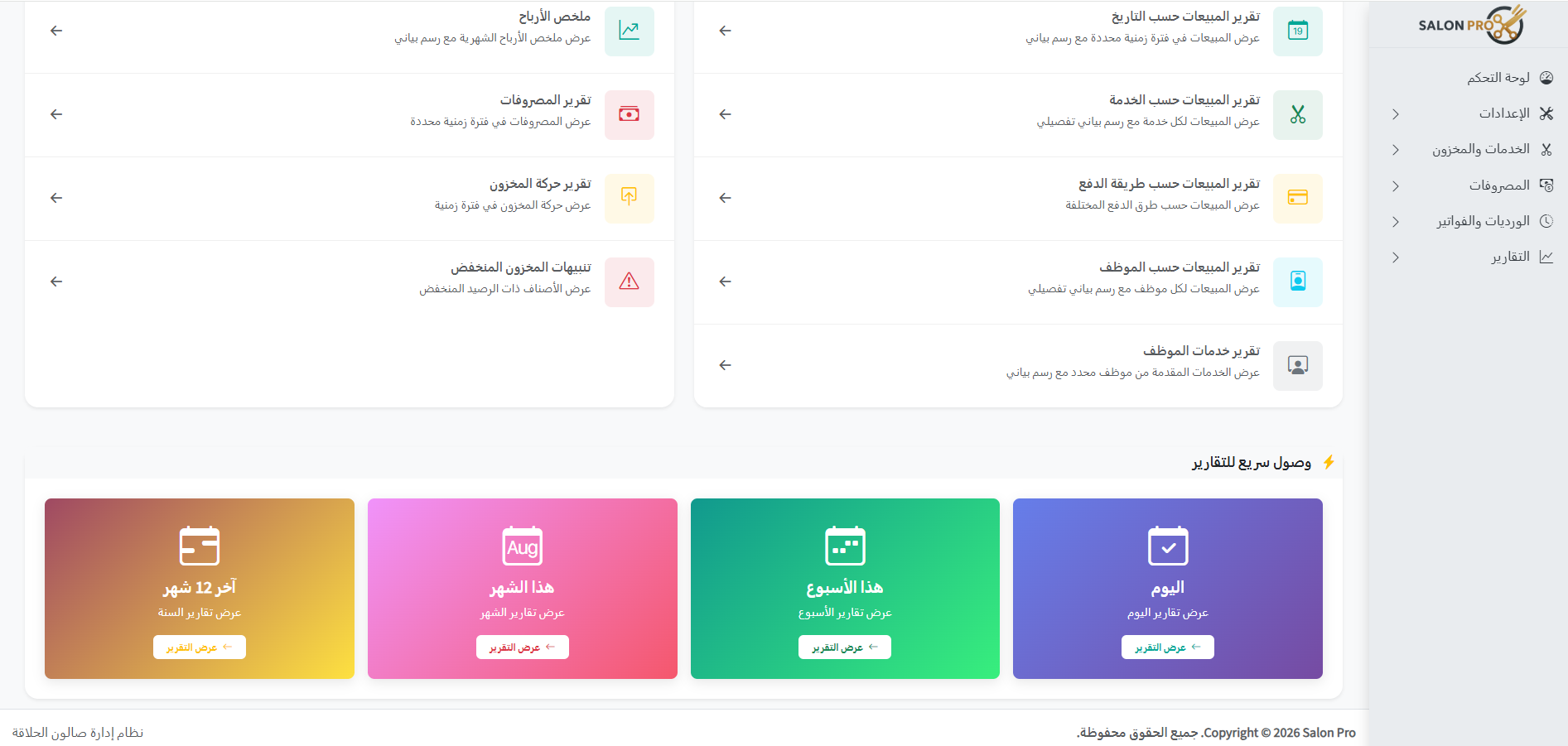
📊 Comprehensive reports and performance monitoring
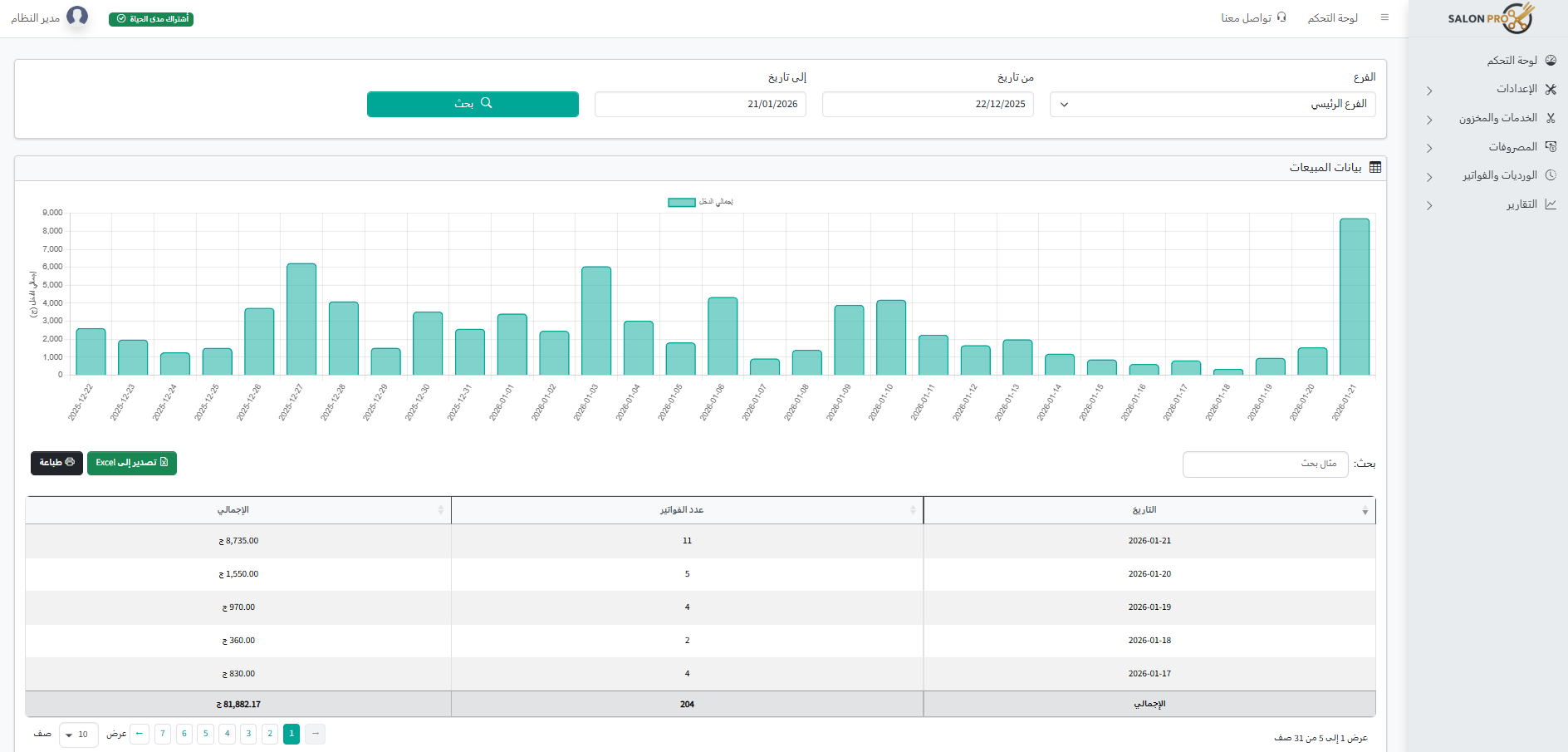
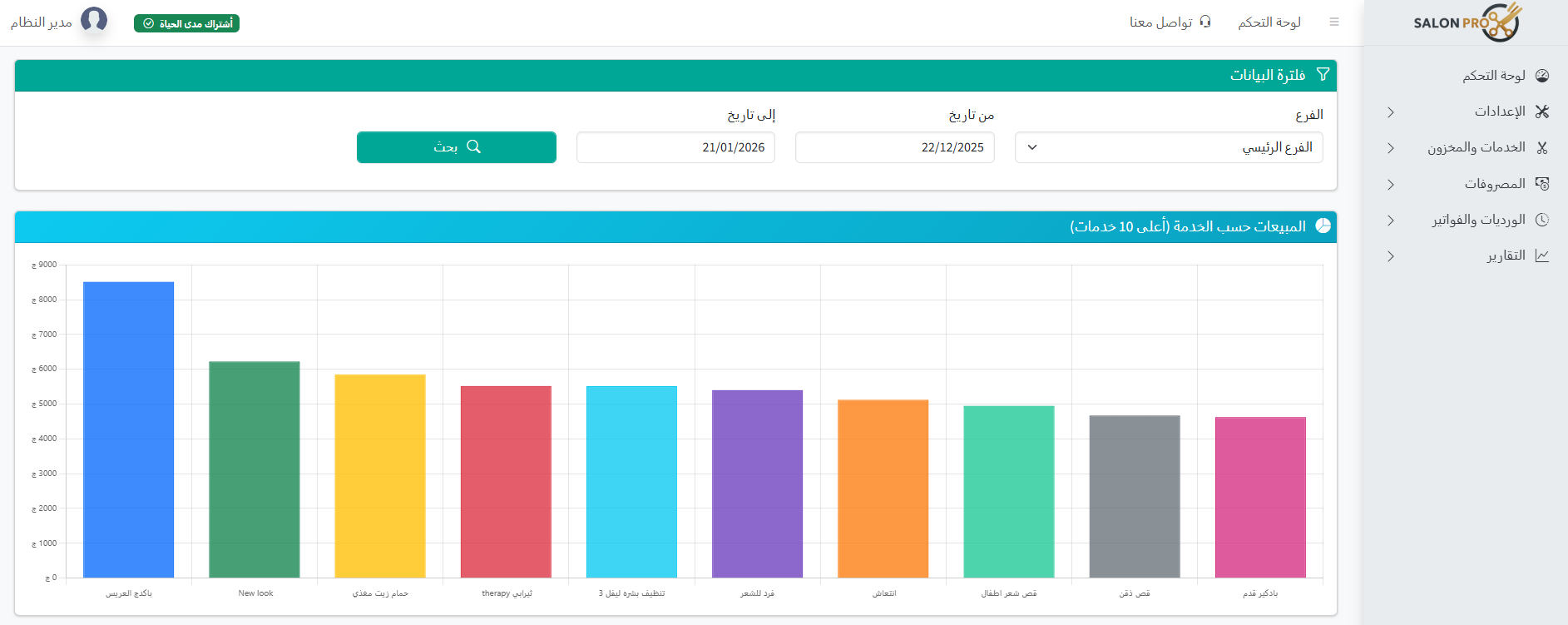
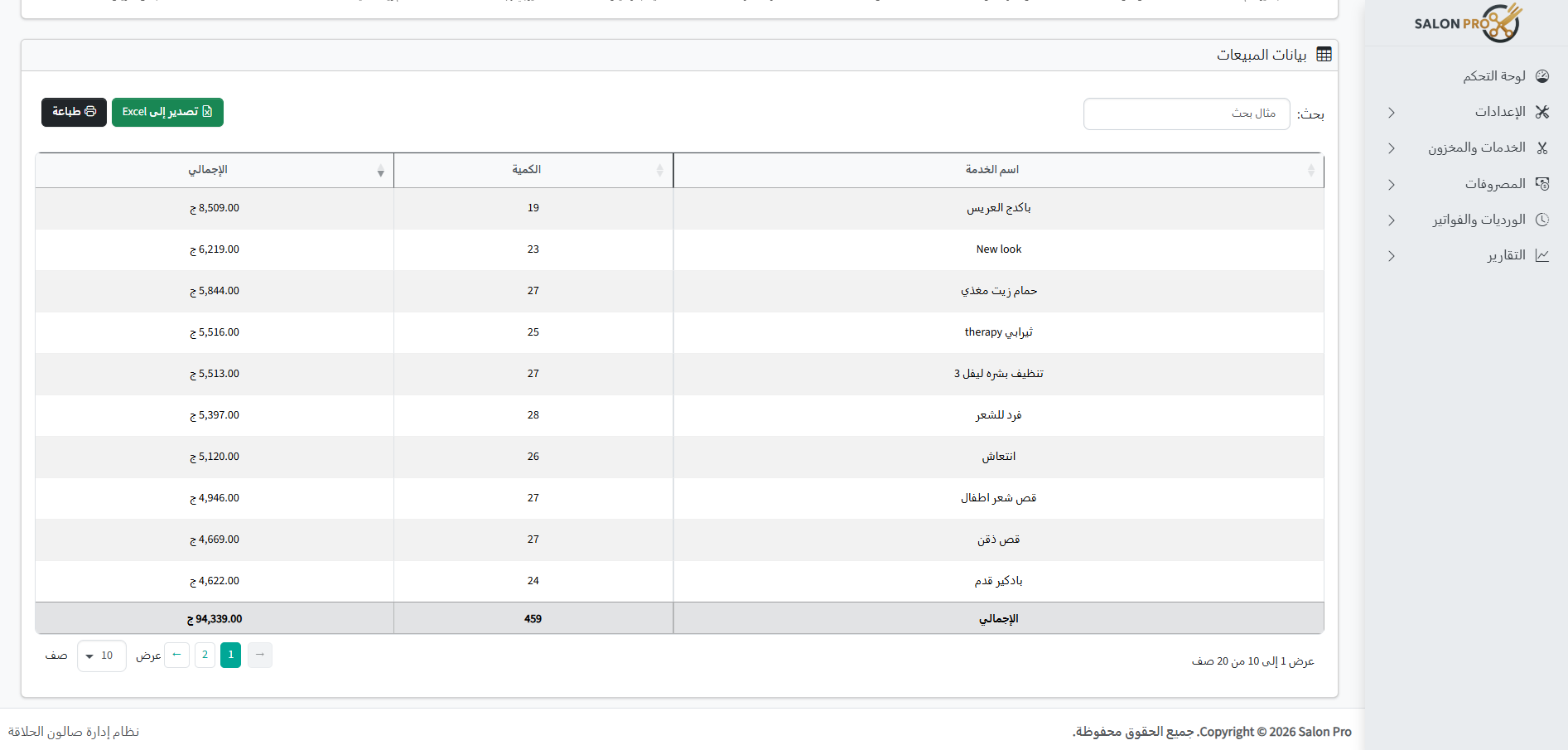
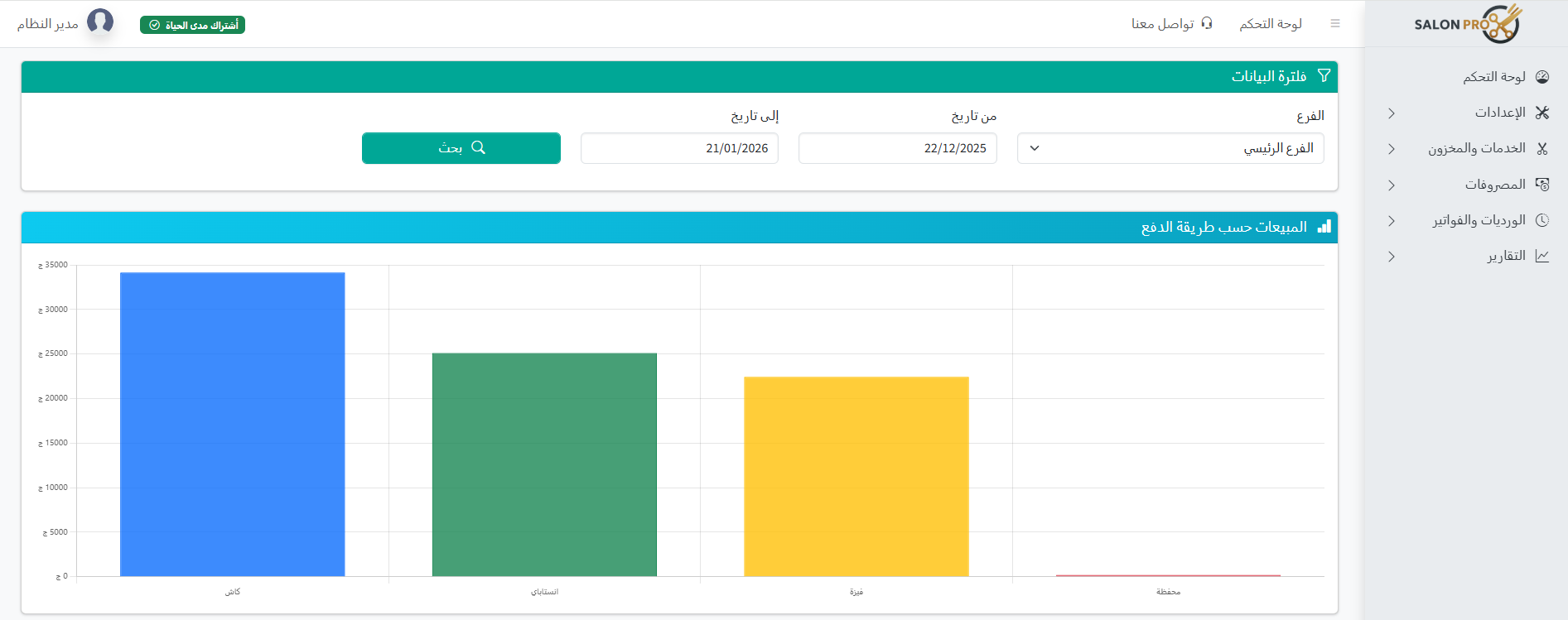
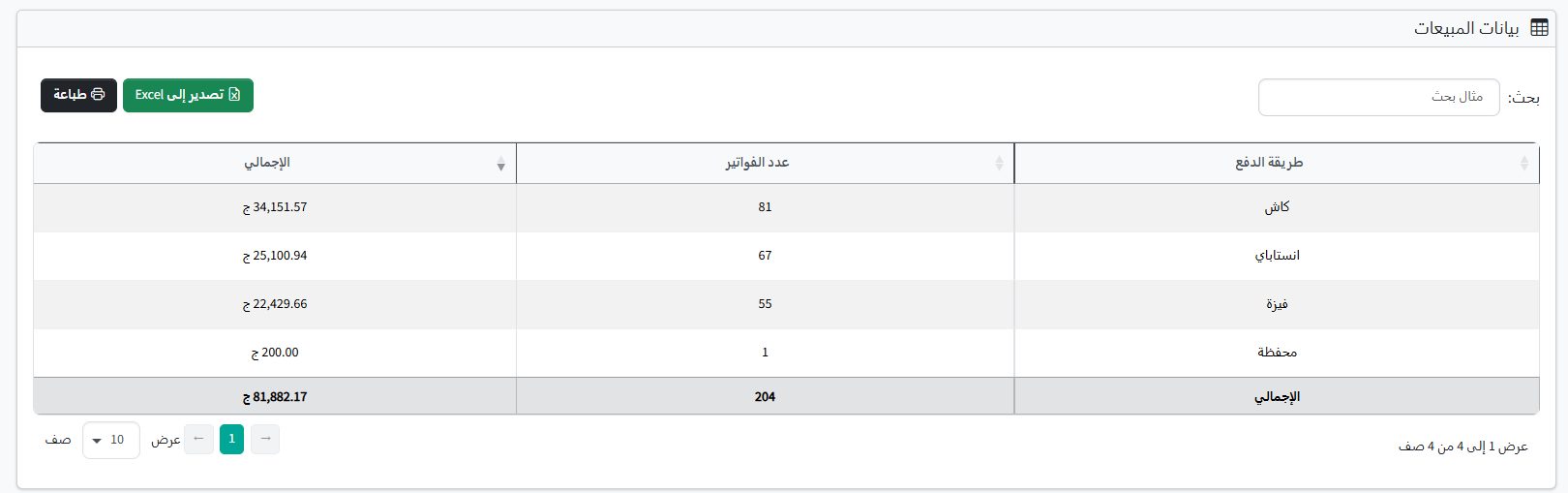
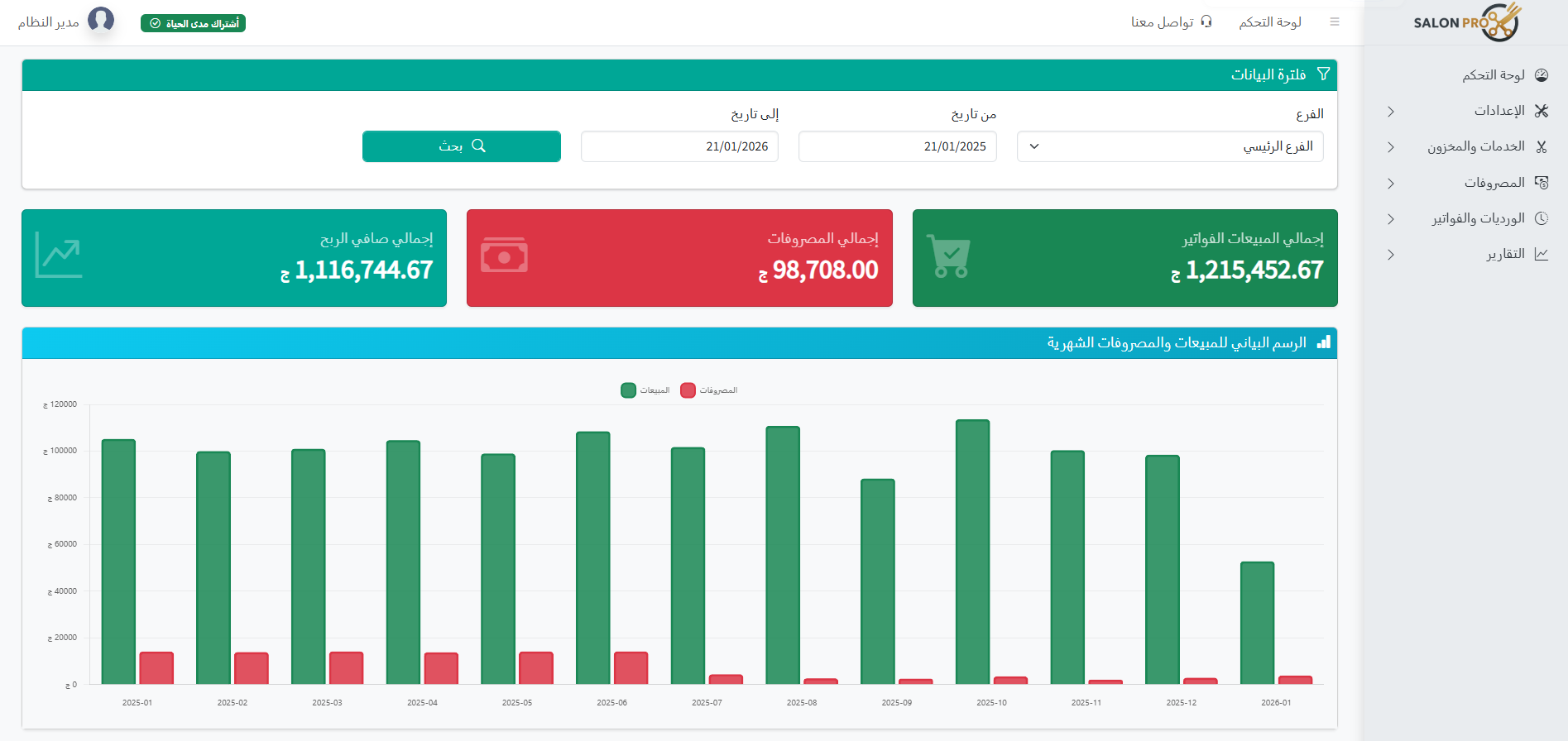
View sales by date/service/employee/payment method, and know your monthly profit summary.
- Sales reports by date and service
- Sales reports by payment method and employee
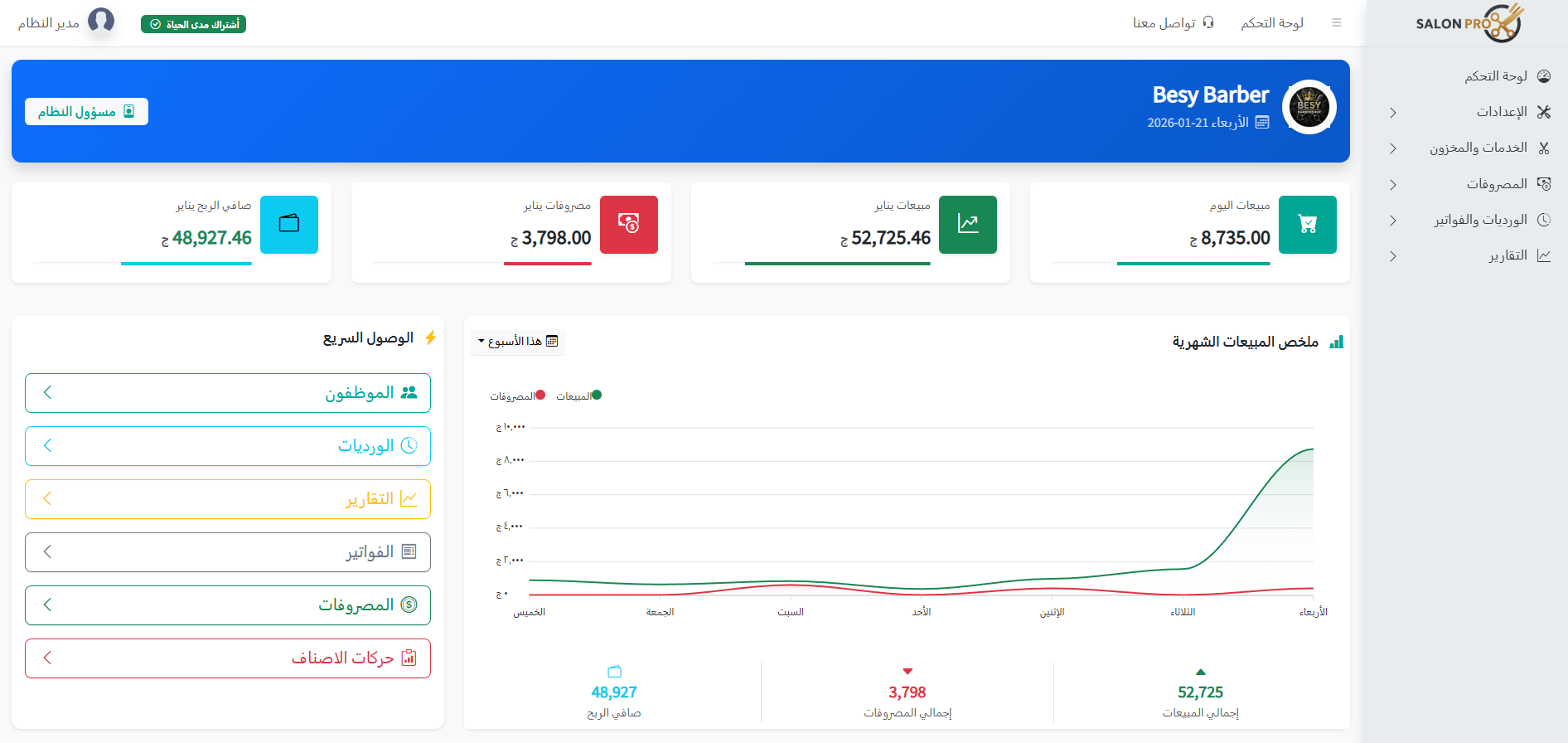
- Profit reports (Profit Summary) and expenses
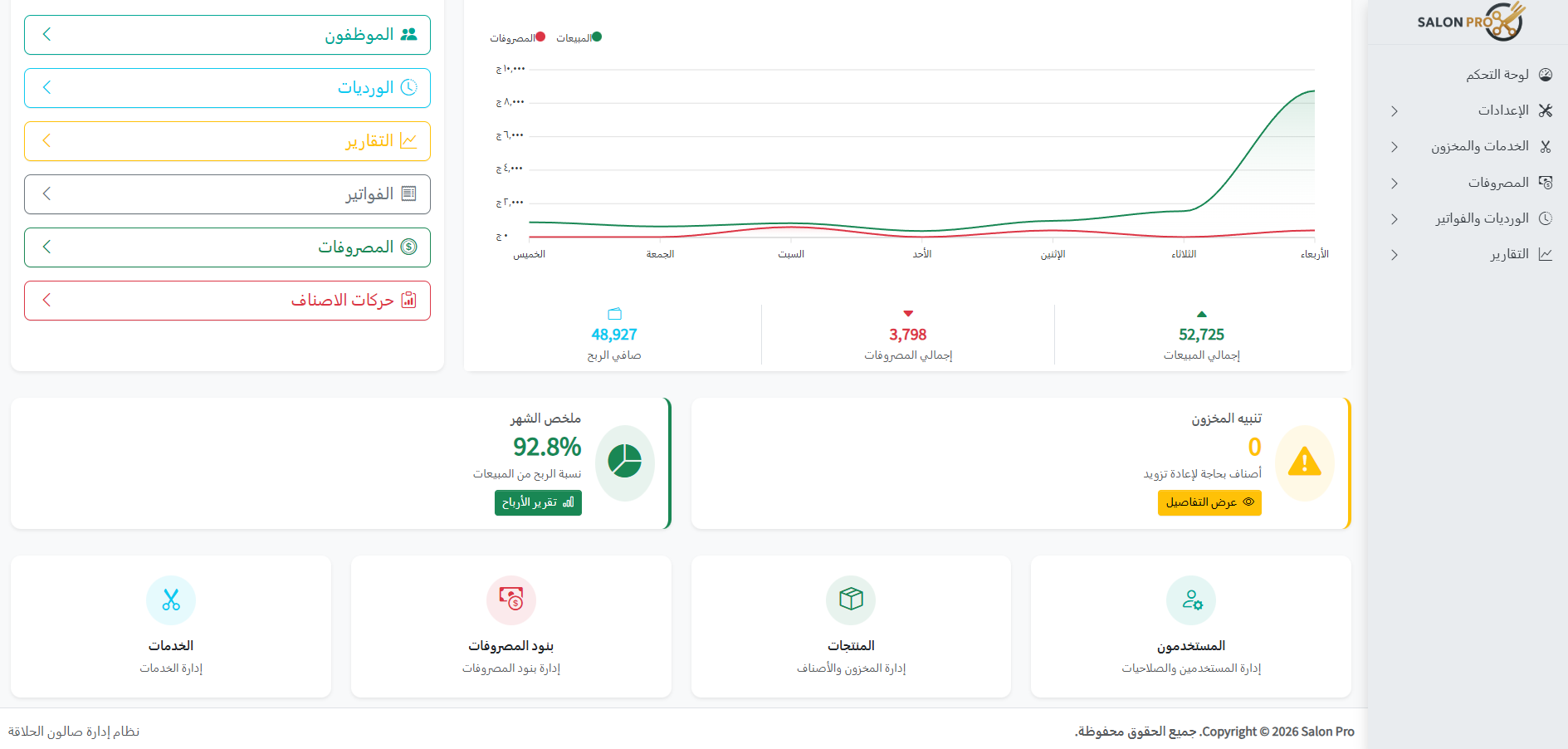
- Inventory reports and low stock alerts
- Export reports to Excel
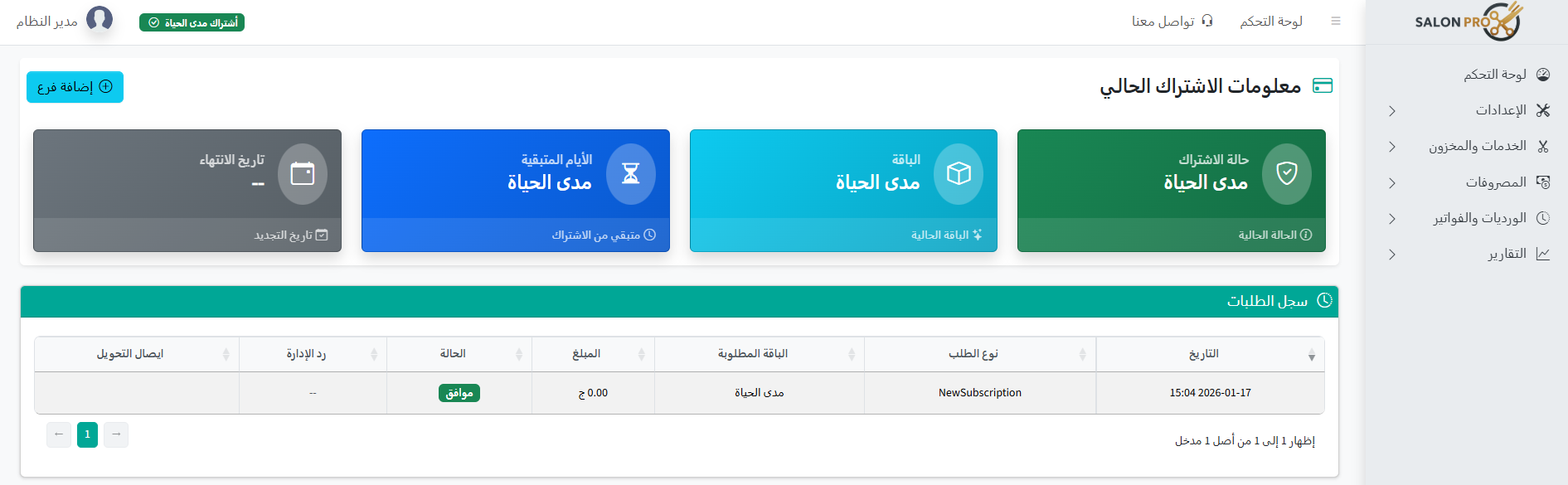
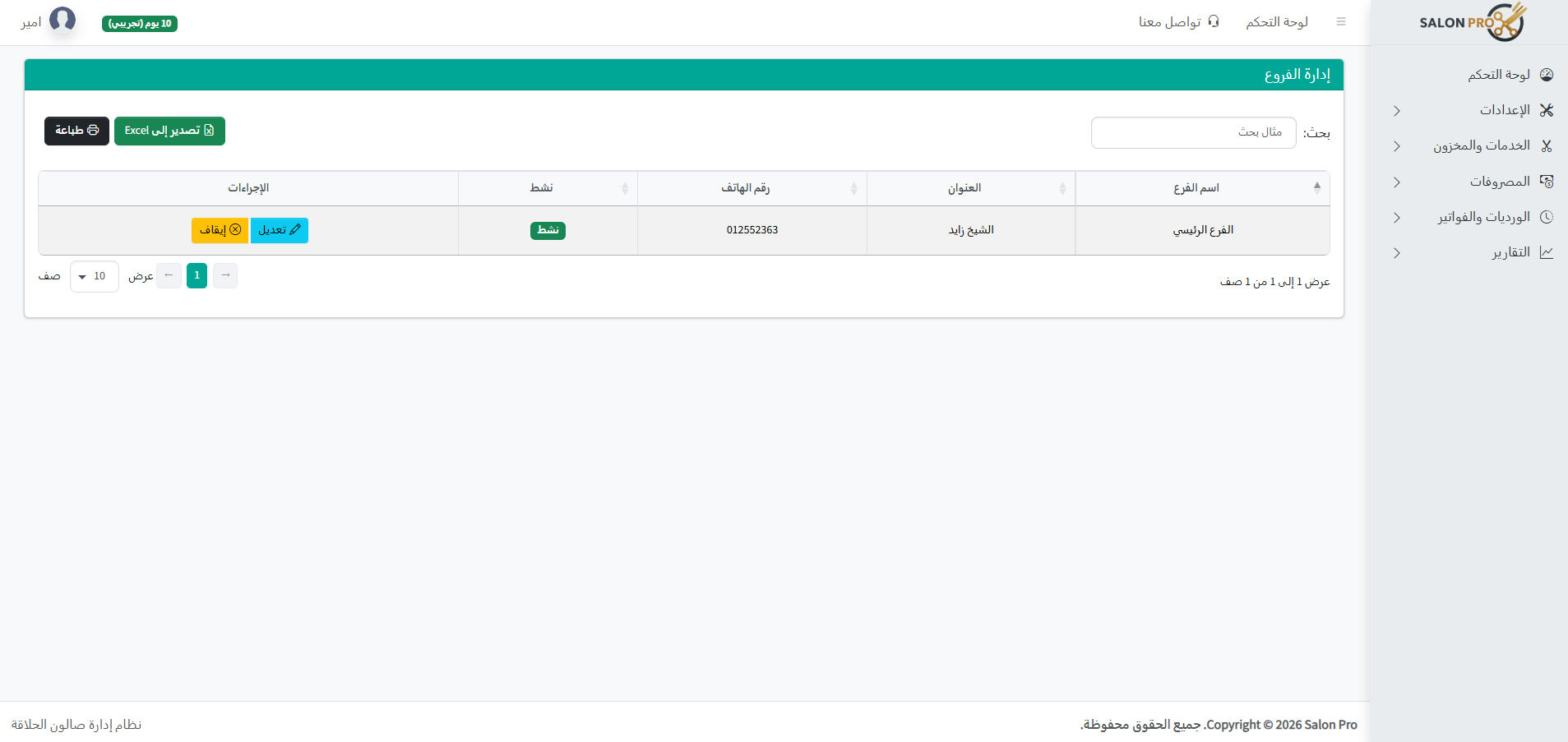
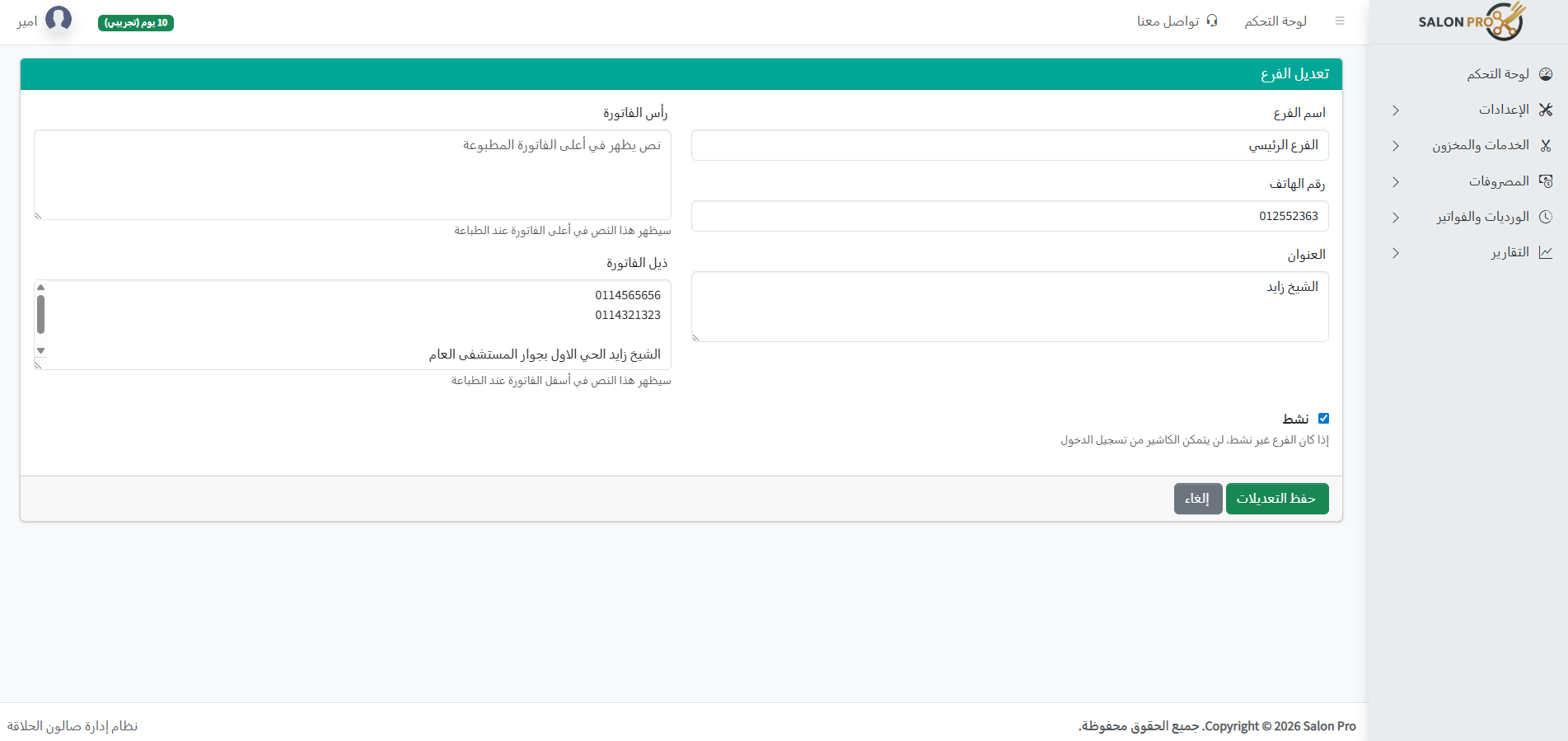
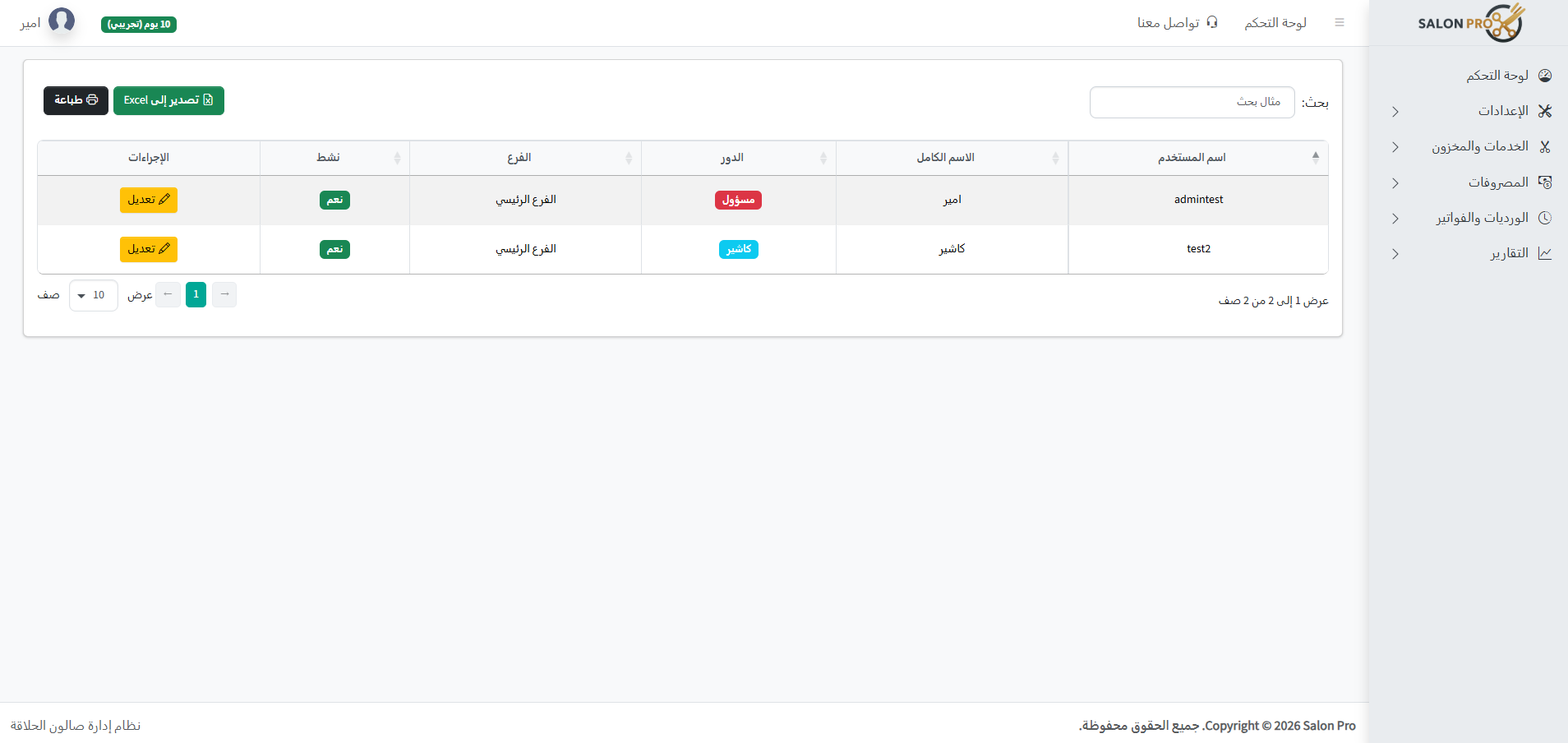
🏪 Subscription settings, branches, and users
If you have more than one branch, track each branch individually and as a group, track subscription details, and set user permissions easily.
- Comprehensive dashboard for salon management with ease and intelligence
- Separate and combined reports for branches
- Current subscription information and edit, renew, and request adding new branch
- Users and roles (Admin / Cashier / …)
- Track cashier shifts (open/close)
Ready to see this in your business?
Start a free 7-day trial — and let the numbers speak ✨
Start free trial